
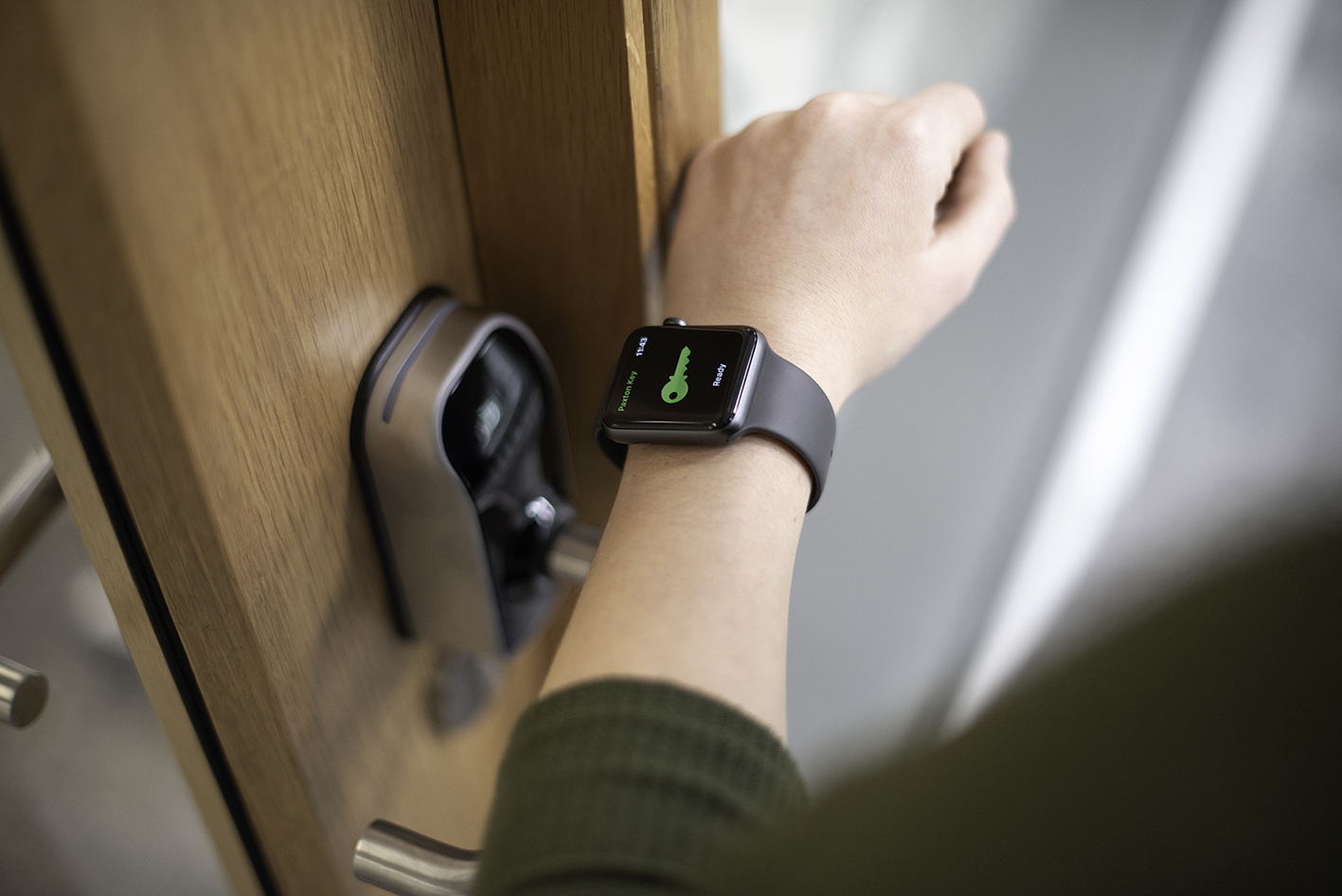
Paxton Access






















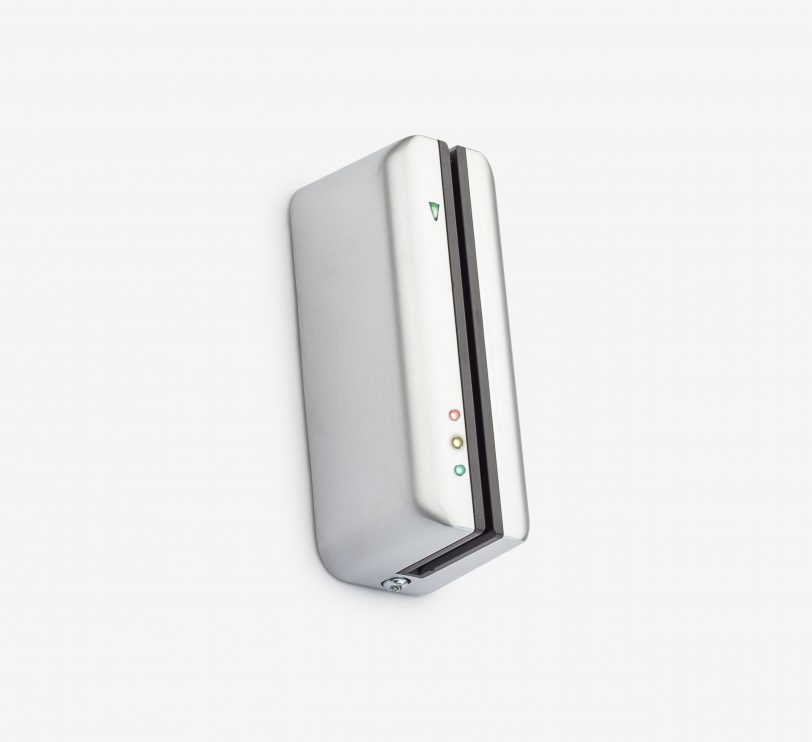
Info - CARDLOCK readers are used in Switch2 and Net2 systems.Installation - The reader connection cable is connected in accordance with the labelling on the door control unit.Operation - A card is swiped through the reader. The reader forwards the read information to the door control centre. If the card is recognised as authorised, access is granted. Access is denied if the card is invalid.Note: This reader is suitable as a supplement or replacement within an existing standalone system. It is not possible to set up a new standalone system with this reader, as the Cardlock starter packs are no longer available.
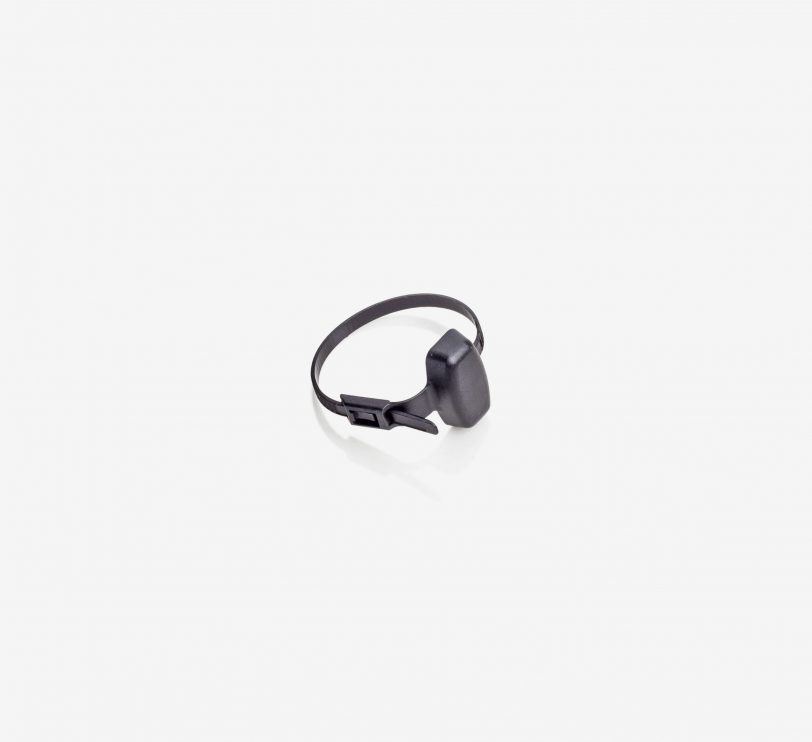
Info - PROXIMITY transponders and CARDLOCK magnetic cards are used with Net2. The transponders and magnetic cards are supplied in sets of 10.We now also have self-adhesive discs that turn any card into a PROXIMITY card - very cost-effective.Installation - When transponders and cards are issued to users, the user file is processed. The transponder or card number is read in via the optional desktop reader or entered manually.Operation - Once programmed in the software, the transponder is ready for use. Simply apply the transponder to the reader, the access authorisation is determined and access is granted or denied. Paxton transponders use Hitag2 technology with proprietary encryption, which includes an authentication protocol in the form of a password exchange between the token and the reader. This provides an additional layer of security for your system.
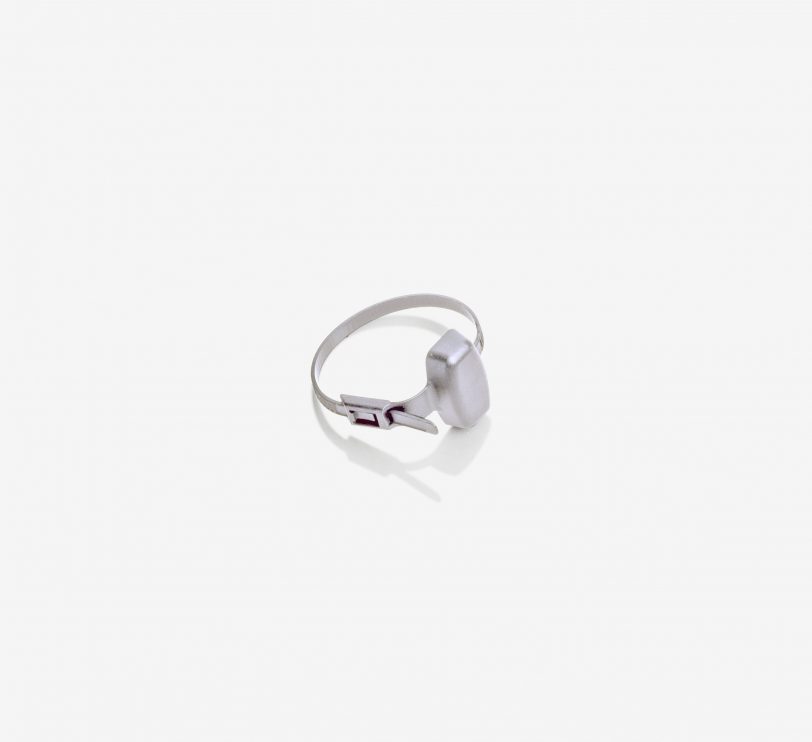
Info - PROXIMITY transponders and CARDLOCK magnetic cards are used with Net2. The transponders and magnetic cards are supplied in sets of 10.We now also have self-adhesive discs that turn any card into a PROXIMITY card - very cost-effective.Installation - When transponders and cards are issued to users, the user file is processed. The transponder or card number is read in via the optional desktop reader or entered manually.Operation - Once programmed in the software, the transponder is ready for use. Simply apply the transponder to the reader, the access authorisation is determined and access is granted or denied. Paxton transponders use Hitag2 technology with proprietary encryption, which includes an authentication protocol in the form of a password exchange between the token and the reader. This provides an additional layer of security for your system.
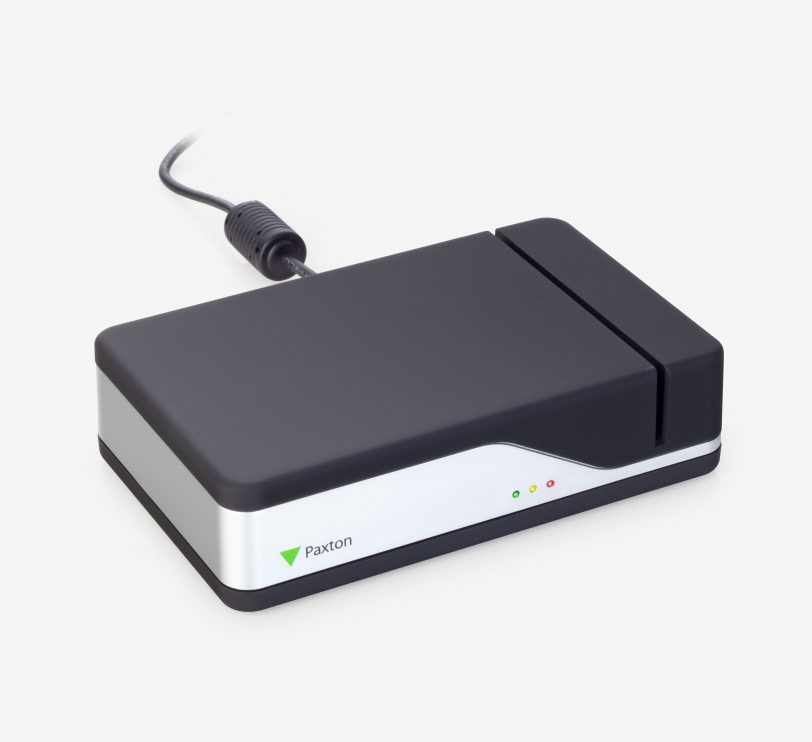
Info - The desktop reader is set up next to the PC. It is used to read transponders into a Net2 system and to identify transponders that have been found. Installation - Simply connect the reader to a USB port. No further cabling is required. Additional workstations can also be equipped with desktop readers.Operation - An uncoded transponder is applied to the desktop reader. This creates a new user file and the transponder number is automatically entered. The user details are entered into the file and the transponder is then issued to the user.If a transponder that has already been issued is applied to the desktop reader, the corresponding user file appears.
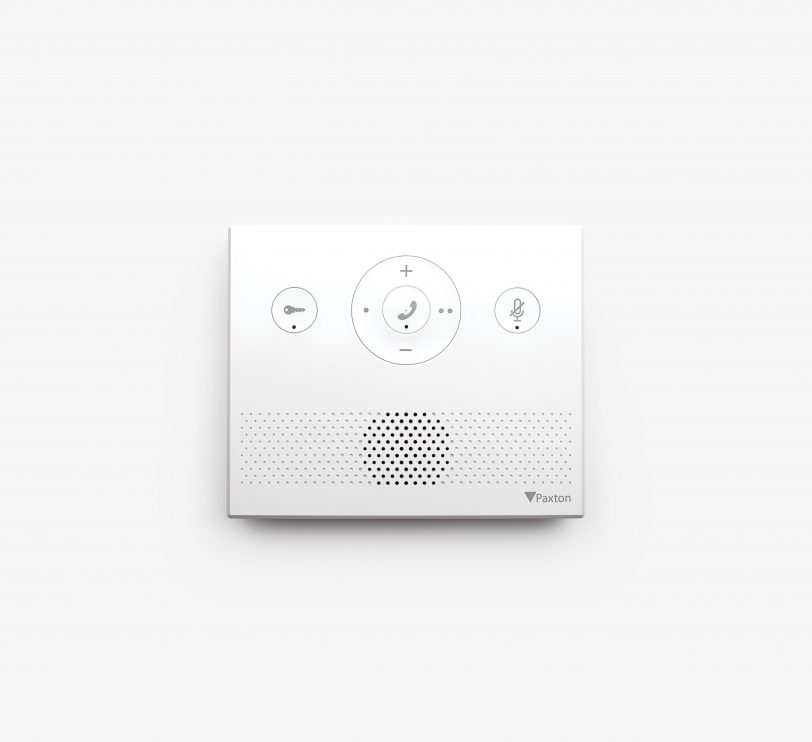
Product info - Entry is a door intercom system for operation as a standalone device or in conjunction with Paxton's Net2 and Paxton10 access control solutions. It consists of three components that are automatically recognised during set-up - external door station, indoor monitor and door control unit.The Entry Audio Monitor is a cost-effective option in this range and supports all entry functions without exception where video is not required. The monitor can be wall-mounted or used as a desktop unit and can be used with handset (for private calls) or in hands-free mode.Installation - Entry components can be easily connected using Cat5 or standard RJ45 patch cables. Entry can also utilise an existing network infrastructure for easy installation. As power and data are supplied via PoE over the same cable, a separate power supply is not required.The Entry monitor - desk stand allows the Entry monitor to be conveniently positioned on a desk or table.Operation - A visitor starts a call via the bell button on the external door station. Access can then be authorised for the visitor via the audio monitor.When connected to Net2, access to the building is authorised by entering a PIN or code and/or using a proximity transponder. When connected to Paxton10, access to the building is authorised via Bluetooth® smart credentials, PIN or code entry and/or with a proximity transponder.
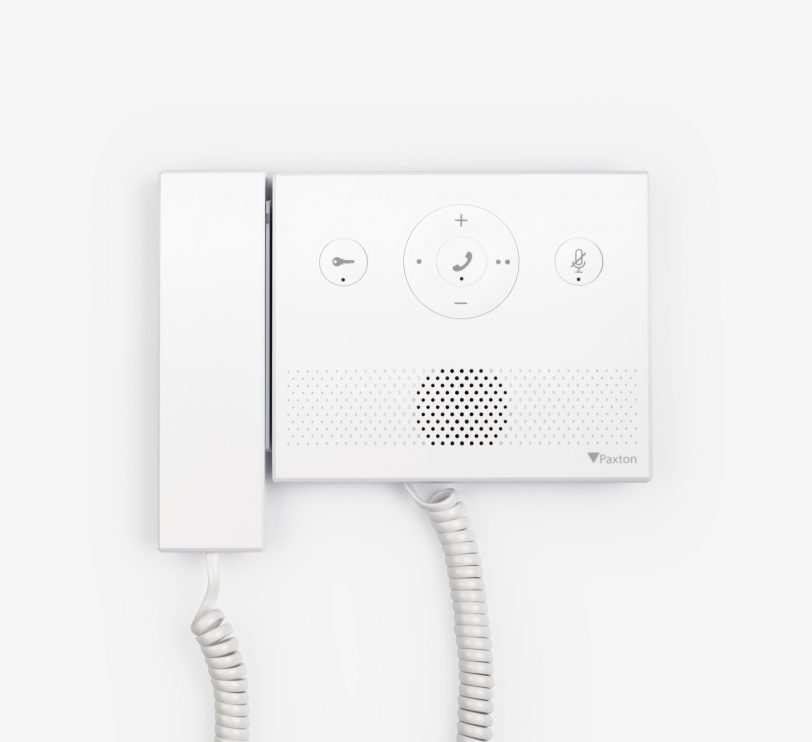
Product info - Entry is a door intercom system for use as a standalone device or in conjunction with Paxton's Net2 and Paxton10 access control solutions. It consists of three components that are automatically recognised during set-up - external door station, indoor monitor and door control unit.The Entry Audio Monitor is a cost-effective option in this range and supports all entry functions without exception where video is not required. The monitor can be wall-mounted or used as a desktop unit, and can be used with handset (for private calls) or in hands-free mode.Installation - Entry components can be easily connected using Cat5 or standard RJ45 patch cables. Entry can also utilise existing network infrastructure for easy installation. Since power and data are supplied via PoE over the same cable, a separate power supply is not required.The Entry monitor - desk stand allows the Entry monitor to be conveniently positioned on a desk or table.Operation - A visitor starts a call via the bell button on the external door station. Access can then be authorised for the visitor via the audio monitor.When connected to Net2, access to the building is authorised by entering a PIN or code and/or using a proximity transponder. When connected to Paxton10, access to the building is authorised via Bluetooth® smart credentials, PIN or code entry and/or with a proximity transponder.
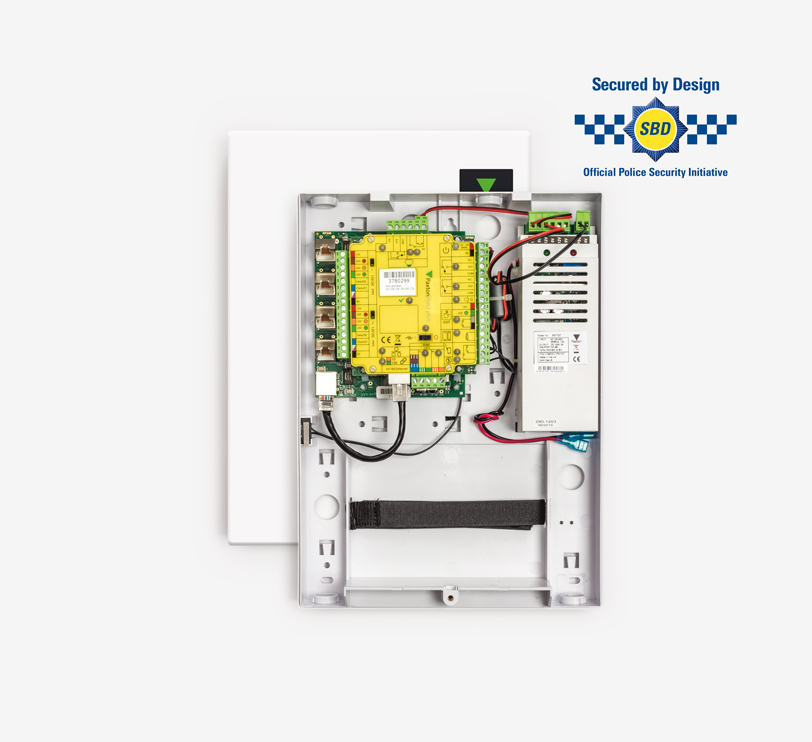
Product information - The Entry control centre is the central interface between a door station and the door and supplies the monitors with data and power via PoE. The ports can also be used to extend the network of door stations and monitors using Entry extension switches or to connect the control centre to a Net2 system running Net2 v4.25 or higher.Installation - Entry components can be easily connected using Cat5 or standard RJ45 patch cables. Entry can also utilise an existing network infrastructure for easy installation. As power and data are supplied via PoE over the same cable, a separate power supply is not required.Operation - A visitor starts a video call via the bell button on the external door station. Access can then be granted to the visitor via the Entry Monitor with its intuitive touchscreen user interface. The indoor monitor can be used either with the handset (for private calls) or in hands-free mode.When connected to Net2, access to the building can be authorised via PIN or code entry and/or a proximity transponder.
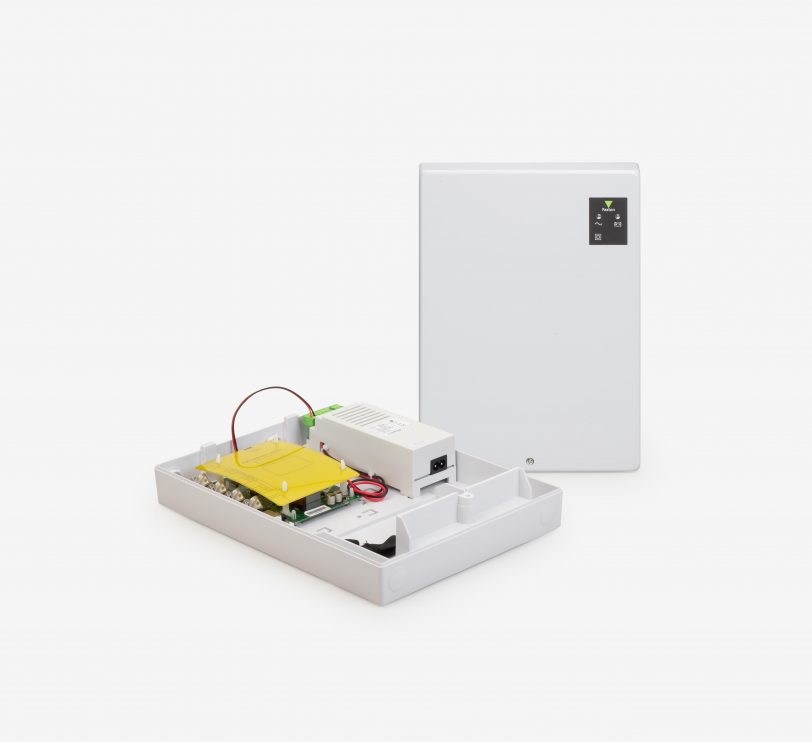
Info - Entry is a door intercom that works both as a stand-alone system and together with the Paxton Net2 access control system, combining the intercom with the most important functions of Net2. Entry consists of 3 components that are automatically recognised during setup; the external door station, the indoor door intercom monitor and a door control unit.Entry is a plug-and-play solution that includes a range of possible door stations and is suitable for a variety of locations.The Net2 Entry control unit is the central interface between a door station and the door and supplies the monitors with data and power via PoE. The ports can also be used to extend the network of door stations and monitors using Net2 Entry extension switches or to connect the control unit to a Net2 system (running Net2 software V4.25 or higher).Installation - The Entry components can be easily connected using Cat5 or standard RJ45 patch cables. For easy installation, Entry can also utilise an existing network infrastructure. A separate power supply is not required thanks to PoE technology, as data and power are transmitted via the same cable.Operation - The visitor initiates a video call via the bell button on the door station. Access can now be granted via the internal Entry Monitor. This has an intuitive touchscreen user interface and can be used either via the handset for confidential calls or in hands-free mode.In conjunction with Net2 access control, access to the building can also be granted using a PIN code and/or proximity tag.
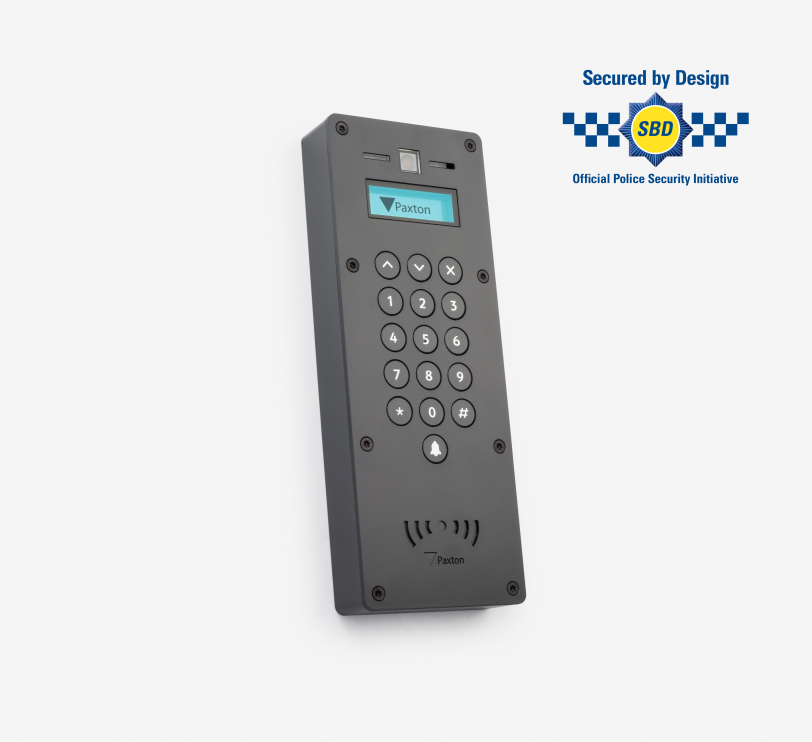
Product info - Entry is a door intercom for use as a standalone device or in conjunction with Paxton's Net2 and Paxton10 access control solutions. A robust external door station for use with the Entry intercom. Available in industry standard anthracite grey (RAL7016) to blend in with the design of windows and doors in many new builds and modern homes.All Entry door stations are IPX5 certified and therefore suitable for external use in all weather conditions.Installation - Entry components can be easily connected using Cat5 or standard RJ45 patch cables. Entry can also utilise an existing network infrastructure for easy installation. As power and data are supplied via PoE over the same cable, a separate power supply is not required.With this door station model for surface mounting, the device is mounted directly on the wall surface and is therefore 100% accessible. If there are several entrances with a door station, more than one door station can be assigned to an access control unit (ACU).A secondary IP camera can also be installed and integrated into the entry system to provide additional security for areas that are difficult to see. This offers more flexibility, as it is possible to switch back and forth between the two cameras on the Entry Monitor.Operation - A visitor starts a video call via the bell button on the external door station. Access can be authorised for the visitor via the Entry Monitor with its intuitive touchscreen user interface. The internal monitor can be used either via the handset (for private calls) or in hands-free mode.When connected to Net2, access to the building is authorised by entering a PIN or code and/or using a proximity transponder. When connected to Paxton10, access to the building is authorised via Bluetooth® smart credentials, PIN or code entry and/or with a proximity transponder.
Product info - Entry is a door intercom for use as a standalone device or in conjunction with Paxton's Net2 and Paxton10 access control solutions. A robust external door station for use with the Entry intercom. Available in industry standard anthracite grey (RAL7016) to blend in with the design of windows and doors in many new builds and modern homes.All Entry door stations are IPX5 certified and therefore suitable for external use in all weather conditions.Installation - Entry components can be easily connected using Cat5 or standard RJ45 patch cables. Entry can also utilise an existing network infrastructure for easy installation. As power and data are supplied via PoE over the same cable, a separate power supply is not required.With this door station model for surface mounting, the device is mounted directly on the wall surface and is therefore 100% accessible. If there are several entrances with a door station, more than one door station can be assigned to an access control unit (ACU).A secondary IP camera can also be installed and integrated into the entry system to provide additional security for areas that are difficult to see. This offers more flexibility, as it is possible to switch back and forth between the two cameras on the Entry Monitor.Operation - A visitor starts a video call via the bell button on the external door station. Access can be authorised for the visitor via the Entry Monitor with its intuitive touchscreen user interface. The internal monitor can be used either via the handset (for private calls) or in hands-free mode.When connected to Net2, access to the building is authorised by entering a PIN or code and/or using a proximity transponder. When connected to Paxton10, access to the building is authorised via Bluetooth® smart credentials, PIN or code entry and/or with a proximity transponder.
Product info - Entry is a door intercom for use as a standalone device or in conjunction with Paxton's Net2 and Paxton10 access control solutions. A robust external door station for use with the Entry intercom. Available in industry standard anthracite grey (RAL7016) to blend in with the design of windows and doors in many new builds and modern homes.All Entry door stations are IPX5 certified and therefore suitable for external use in all weather conditions.Installation - Entry components can be easily connected using Cat5 or standard RJ45 patch cables. Entry can also utilise an existing network infrastructure for easy installation. As power and data are supplied via PoE over the same cable, a separate power supply is not required.With this door station model for surface mounting, the device is mounted directly on the wall surface and is therefore 100% accessible. If there are several entrances with a door station, more than one door station can be assigned to an access control unit (ACU).A secondary IP camera can also be installed and integrated into the entry system to provide additional security for areas that are difficult to see. This offers more flexibility, as it is possible to switch back and forth between the two cameras on the Entry Monitor.Operation - A visitor starts a video call via the bell button on the external door station. Access can be authorised for the visitor via the Entry Monitor with its intuitive touchscreen user interface. The internal monitor can be used either via the handset (for private calls) or in hands-free mode.When connected to Net2, access to the building is authorised by entering a PIN or code and/or using a proximity transponder. When connected to Paxton10, access to the building is authorised via Bluetooth® smart credentials, PIN or code entry and/or with a proximity transponder.
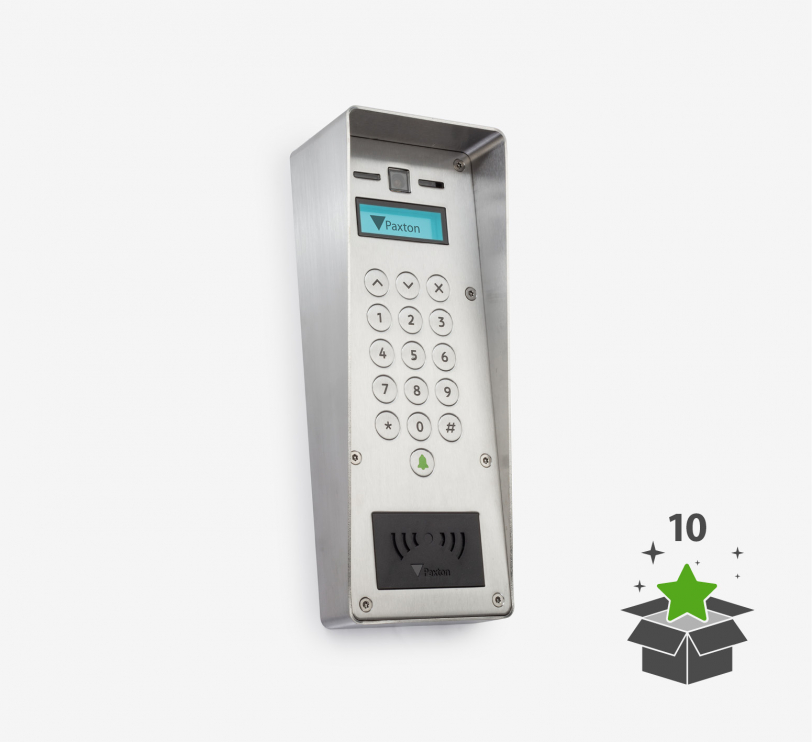
Product information - Entry is a door intercom system for operation as a standalone device or in conjunction with the Net2 and Paxton10 access control solutions from Paxton. An external door station component of the Entry door intercom system. This variant of the door station can open up opportunities in locations where vandal resistance (VR) is a requirement. The VR door station has a market leading impact resistance rating of IK10 and is manufactured from marine grade stainless steel to withstand the most demanding environments.All Entry door stations are IPX5 certified, making them suitable for external use in all weather conditions.Installation - Entry components can be easily connected using Cat5 or standard RJ45 patch cables. Entry can also utilise an existing network infrastructure for easy installation. As power and data are supplied via PoE over the same cable, a separate power supply is not required.With this door station model for surface mounting, the device is mounted directly on the wall surface and is therefore 100% accessible. If there are several entrances with a door station, more than one door station can be assigned to an access control unit (ACU).A secondary IP camera can also be installed and integrated into the entry system to provide additional security for areas that are difficult to see. This offers more flexibility, as it is possible to switch back and forth between the two cameras on the Entry Monitor.Operation - A visitor starts a video call via the bell button on the external door station. Access can be authorised for the visitor via the Entry Monitor with its intuitive touchscreen user interface. The internal monitor can be used either via the handset (for private calls) or in hands-free mode.When connected to Net2, access to the building is authorised by entering a PIN or code and/or using a proximity transponder. When connected to Paxton10, access to the building is authorised via Bluetooth® smart credentials, PIN or code entry and/or with a proximity transponder.
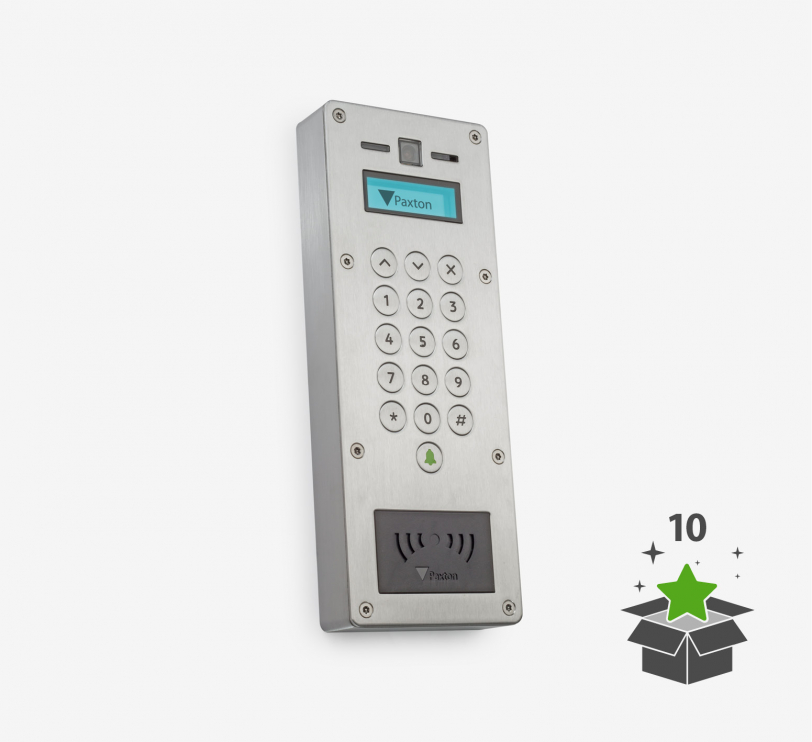
Product information - Entry is a door intercom system for operation as a standalone device or in conjunction with the Net2 and Paxton10 access control solutions from Paxton. An external door station component of the Entry door intercom system. This variant of the door station can open up opportunities in locations where vandal resistance (VR) is a requirement. The VR door station has a market leading impact resistance rating of IK10 and is manufactured from marine grade stainless steel to withstand the most demanding environments.All Entry door stations are IPX5 certified, making them suitable for external use in all weather conditions.Installation - Entry components can be easily connected using Cat5 or standard RJ45 patch cables. Entry can also utilise an existing network infrastructure for easy installation. As power and data are supplied via PoE over the same cable, a separate power supply is not required.With this door station model for surface mounting, the device is mounted directly on the wall surface and is therefore 100% accessible. If there are several entrances with a door station, more than one door station can be assigned to an access control unit (ACU).A secondary IP camera can also be installed and integrated into the entry system to provide additional security for areas that are difficult to see. This offers more flexibility, as it is possible to switch back and forth between the two cameras on the Entry Monitor.Operation - A visitor starts a video call via the bell button on the external door station. Access can be authorised for the visitor via the Entry Monitor with its intuitive touchscreen user interface. The internal monitor can be used either via the handset (for private calls) or in hands-free mode.When connected to Net2, access to the building is authorised by entering a PIN or code and/or using a proximity transponder. When connected to Paxton10, access to the building is authorised via Bluetooth® smart credentials, PIN or code entry and/or with a proximity transponder.
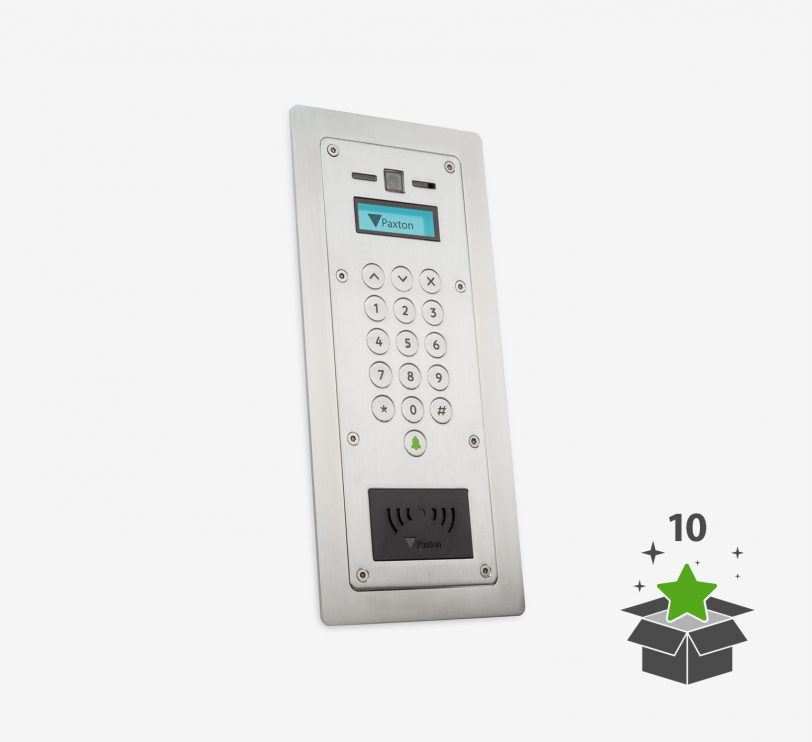
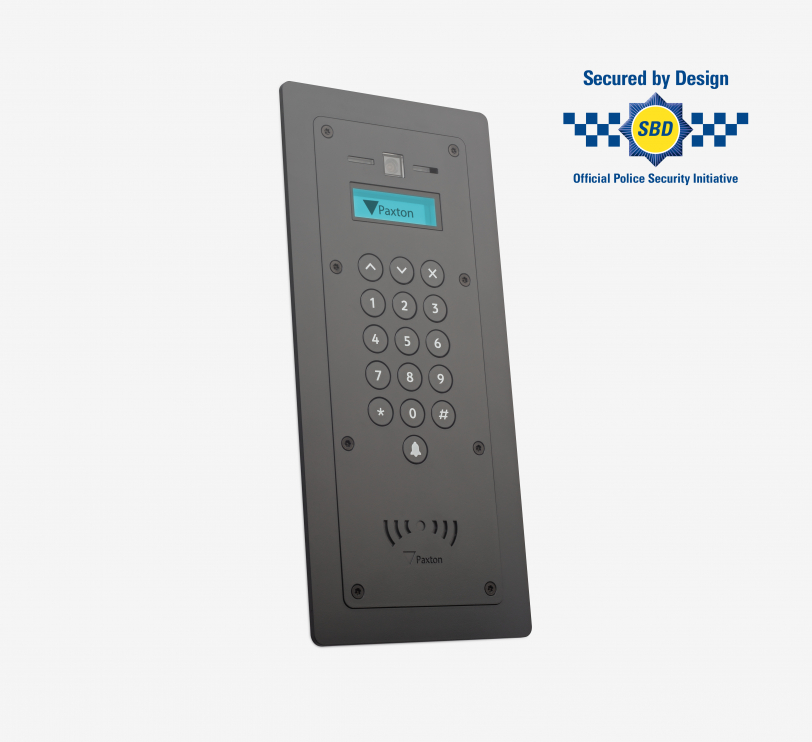
Product information - Entry is a door intercom system for operation as a standalone device or in conjunction with the Net2 and Paxton10 access control solutions from Paxton. An external door station component of the Entry door intercom system. This variant of the door station can open up opportunities in locations where vandal resistance (VR) is a requirement. The VR door station has a market leading impact resistance rating of IK10 and is manufactured from marine grade stainless steel to withstand the most demanding environments.All Entry door stations are IPX5 certified, making them suitable for external use in all weather conditions.Installation - Entry components can be easily connected using Cat5 or standard RJ45 patch cables. Entry can also utilise an existing network infrastructure for easy installation. As power and data are supplied via PoE over the same cable, a separate power supply is not required.With this flush-mounted door station model, the device is flush-mounted in the wall. If there are several entrances with a door station, more than one door station can be assigned to an access control unit (ACU).A secondary IP camera can also be installed and integrated into the entry system to provide additional security for areas that are difficult to see. This offers more flexibility, as it is possible to switch back and forth between the two cameras on the Entry Monitor.Operation - A visitor starts a video call via the bell button on the external door station. Access can be authorised for the visitor via the Entry Monitor with its intuitive touchscreen user interface. The internal monitor can be used either via the handset (for private calls) or in hands-free mode.When connected to Net2, access to the building is authorised by entering a PIN or code and/or using a proximity transponder. When connected to Paxton10, access to the building is authorised via Bluetooth® smart credentials, PIN or code entry and/or with a proximity transponder.
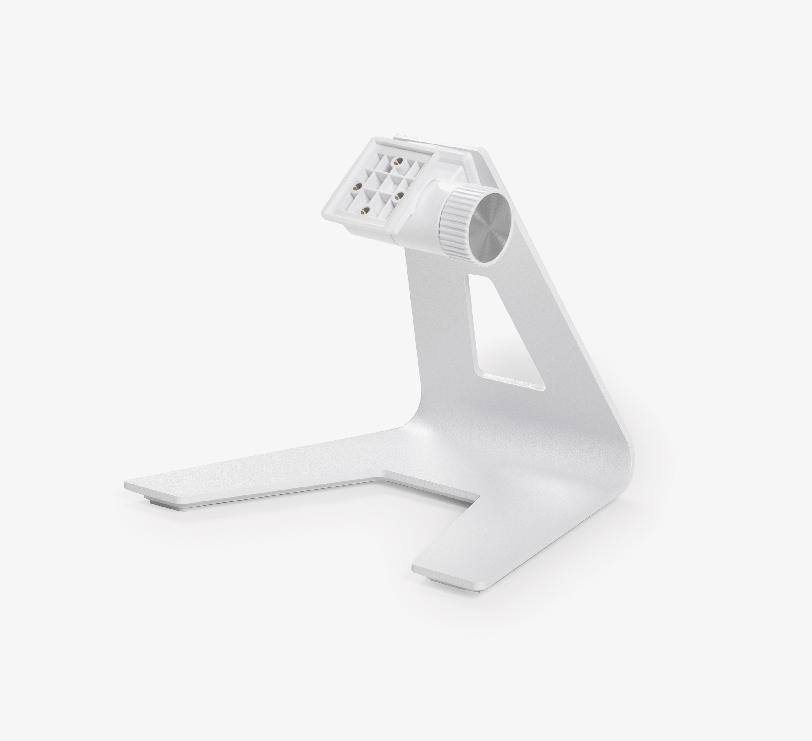
Product information - The desk stand allows the Entry monitor to be conveniently positioned on a desk or table.Assembly - The monitor can be easily attached to the stand using the fastening elements supplied with the product. The adjustable stand can be set at any angle.
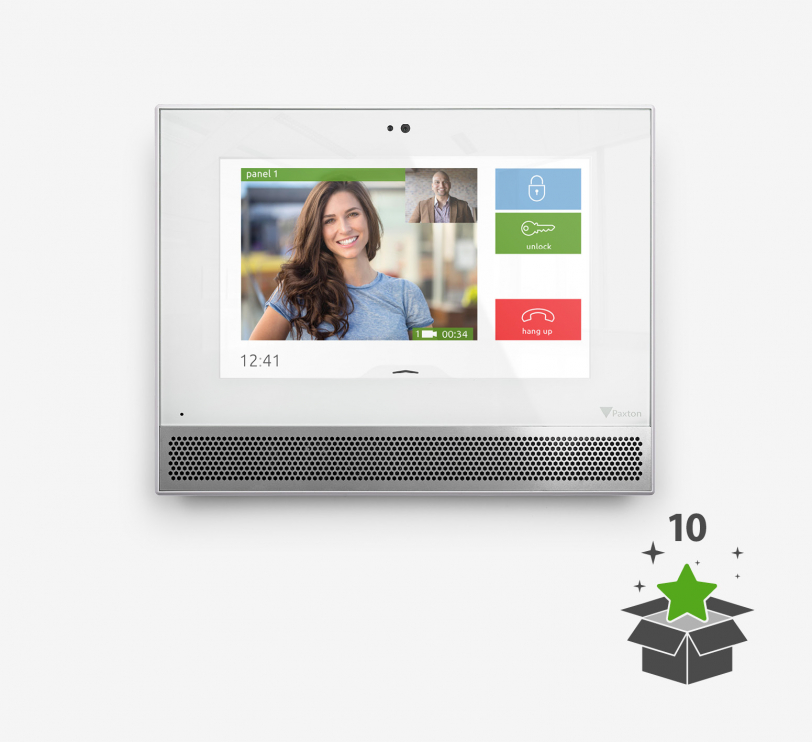
Product info - Entry is a door intercom system for operation as a standalone device or in conjunction with Paxton's Net2 and Paxton10 access control solutions. It consists of three components that are automatically recognised during set-up - external door station, indoor monitor and door control unit.The premium monitor features a 7" capacitive colour touchscreen, free concierge management functions and various design options. The monitor can be wall-mounted or used as a desktop unit.When used with the Entry Touch door station, the Premium Monitor supports two-way video calls and video voicemails.Installation - Entry components can be easily connected using Cat5 or standard RJ45 patch cables. Entry can also utilise an existing network infrastructure for easy installation. Since power and data are supplied via PoE over the same cable, a separate power supply is not required.The Entry monitor - desk stand allows the Entry monitor to be conveniently positioned on a desk or table.Operation - A visitor starts a video call via the bell button on the external door station. Access can then be granted to the visitor via the Entry Monitor with its intuitive touchscreen user interface. The monitor can be used indoors with the handset (for private calls) or in hands-free mode.When connected to Net2, access to the building is authorised by entering a PIN or code and/or using a proximity transponder. When connected to Paxton10, access to the building is authorised via Bluetooth® smart credentials, PIN or code entry and/or with a proximity transponder.
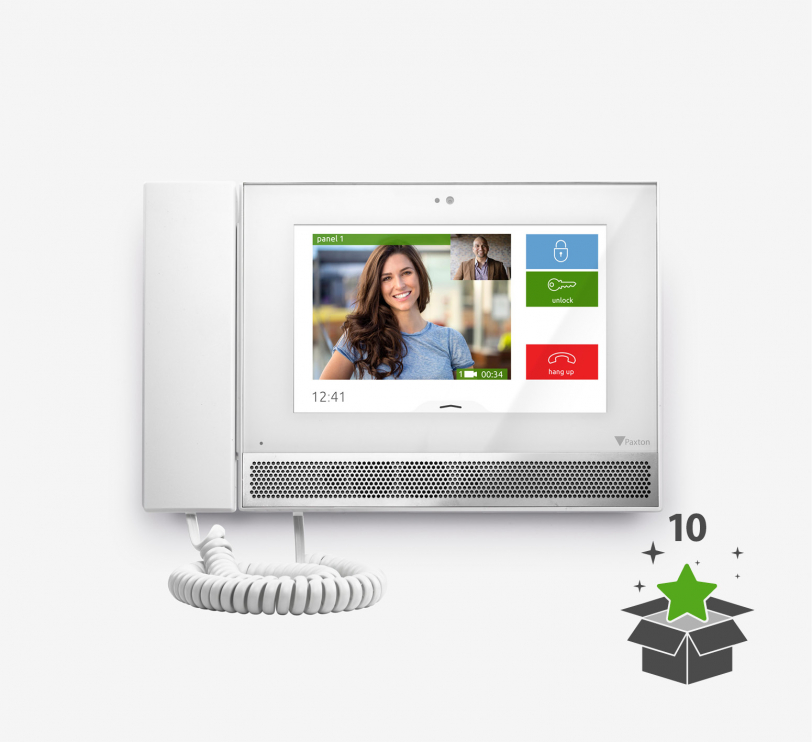
Product info - Entry is a door intercom system for use as a standalone device or in conjunction with Paxton's Net2 and Paxton10 access control solutions. It consists of three components that are automatically recognised during set-up - external door station, indoor monitor and door control unit.The premium monitor features a 7" capacitive colour touchscreen, free concierge management functions and various design options. The monitor can be wall-mounted or used as a desktop unit.When used with the Entry Touch door station, the Premium Monitor supports two-way video calls and video voicemails.Installation - Entry components can be easily connected using Cat5 or standard RJ45 patch cables. Entry can also utilise an existing network infrastructure for easy installation. Since power and data are supplied via PoE over the same cable, a separate power supply is not required.The Entry monitor - desk stand allows the Entry monitor to be conveniently positioned on a desk or table.Operation - A visitor starts a video call via the bell button on the external door station. Access can then be granted to the visitor via the Entry Monitor with its intuitive touchscreen user interface. The monitor can be used indoors with the handset (for private calls) or in hands-free mode.When connected to Net2, access to the building is authorised by entering a PIN or code and/or using a proximity transponder. When connected to Paxton10, access to the building is authorised via Bluetooth® smart credentials, PIN or code entry and/or with a proximity transponder.
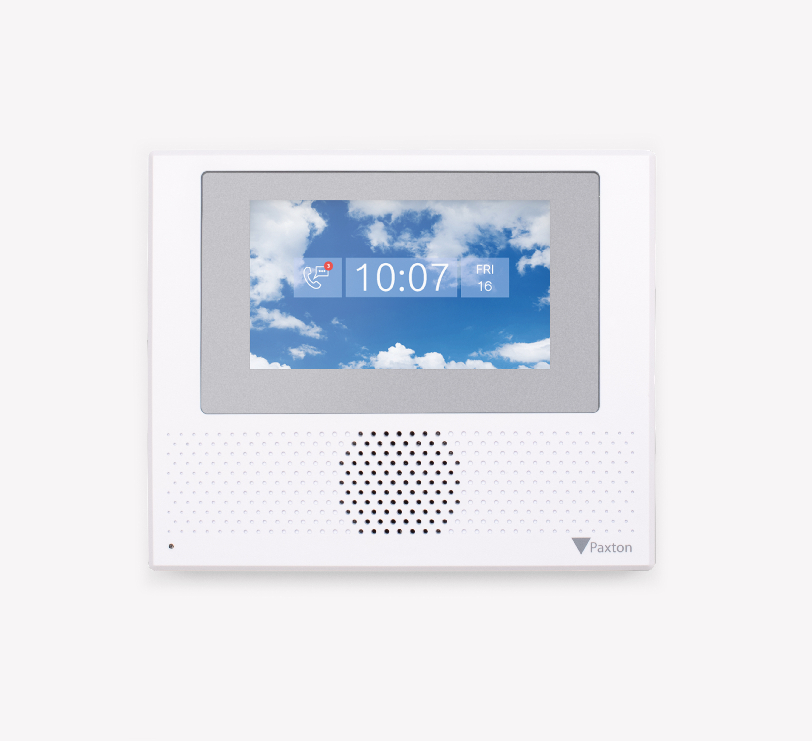
Product info - Entry is a door intercom system for use as a standalone device or in conjunction with Paxton's Net2 and Paxton10 access control solutions. It consists of three components that are automatically recognised during set-up - external door station, indoor monitor and door control unit.The new Entry Standard monitor has a 4.3″ capacitive touchscreen and the same user interface as the Entry Premium monitor. With its straightforward, slim design, the monitor blends discreetly into any environment. The monitor is suitable for wall mounting or for mounting in a table stand (available separately) and is available with or without handset.Installation - The components are simply connected to each other using Cat5 or standard RJ45 patch cables. An existing network infrastructure can also be used for easy installation of Entry. An existing network infrastructure can also be used for easy installation of Entry. With PoE technology, power and data are supplied via the same cable, so no separate power supply is required.The Entry monitor - desk stand allows the Entry monitor to be conveniently positioned on a desk or table.Operation - A visitor starts a video call via the bell button on the external door station. Access can then be authorised for the visitor via the monitor with its intuitive touchscreen user interface. The monitor can be used in the interior either with a handset (for private calls) or in hands-free mode.When connected to Net2, access to the building is authorised by entering a PIN or code and/or using a proximity transponder. When connected to Paxton10, access to the building is authorised via Bluetooth® smart credentials, PIN or code entry and/or with a proximity transponder.
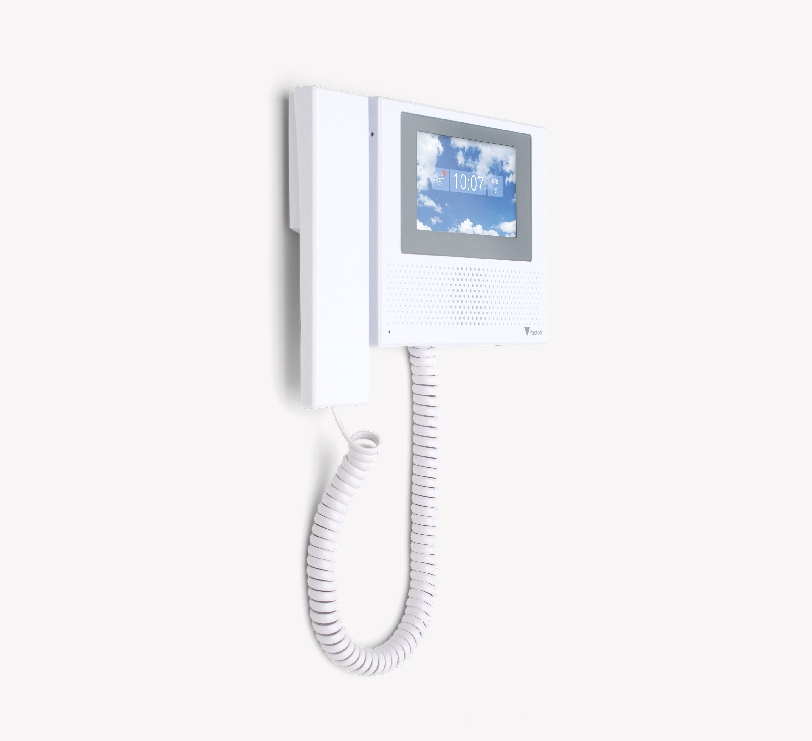
Product info - Entry is a door intercom system for use as a standalone device or in conjunction with Paxton's Net2 and Paxton10 access control solutions. It consists of three components that are automatically recognised during set-up - external door station, indoor monitor and door control unit.The new Entry Standard monitor has a 4.3″ capacitive touchscreen and the same user interface as the Entry Premium monitor. With its straightforward, slim design, the monitor blends discreetly into any environment. The monitor is suitable for wall mounting or for mounting in a table stand (available separately) and is available with or without handset.Installation - The components are simply connected to each other using Cat5 or standard RJ45 patch cables. An existing network infrastructure can also be used for easy installation of Entry. An existing network infrastructure can also be used for easy installation of Entry. With PoE technology, power and data are supplied via the same cable, so no separate power supply is required.The Entry monitor - desk stand allows the Entry monitor to be conveniently positioned on a desk or table.Operation - A visitor starts a video call via the bell button on the external door station. Access can then be authorised for the visitor via the monitor with its intuitive touchscreen user interface. The monitor can be used in the interior either with a handset (for private calls) or in hands-free mode.When connected to Net2, access to the building is authorised by entering a PIN or code and/or using a proximity transponder. When connected to Paxton10, access to the building is authorised via Bluetooth® smart credentials, PIN or code entry and/or with a proximity transponder.
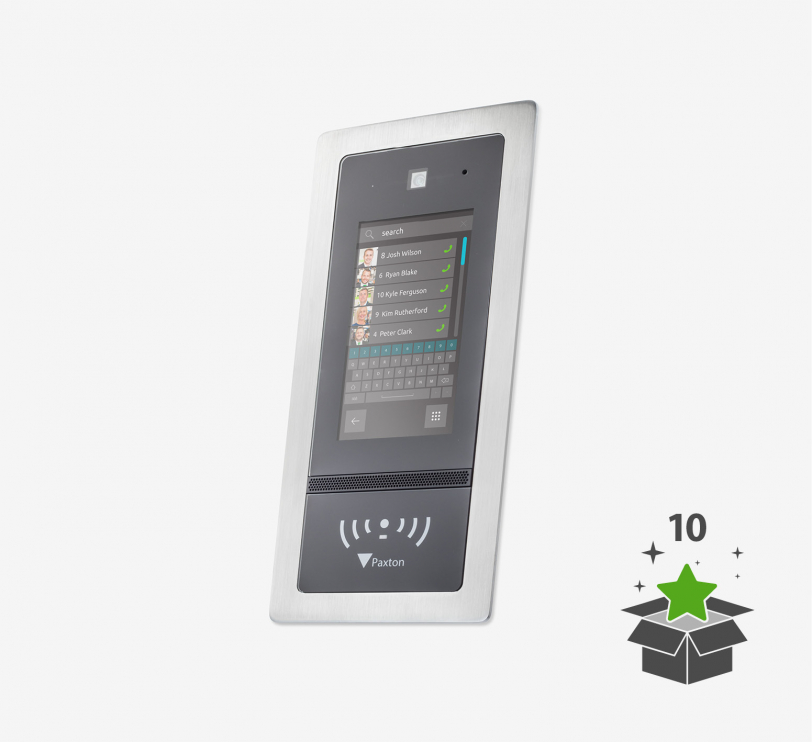
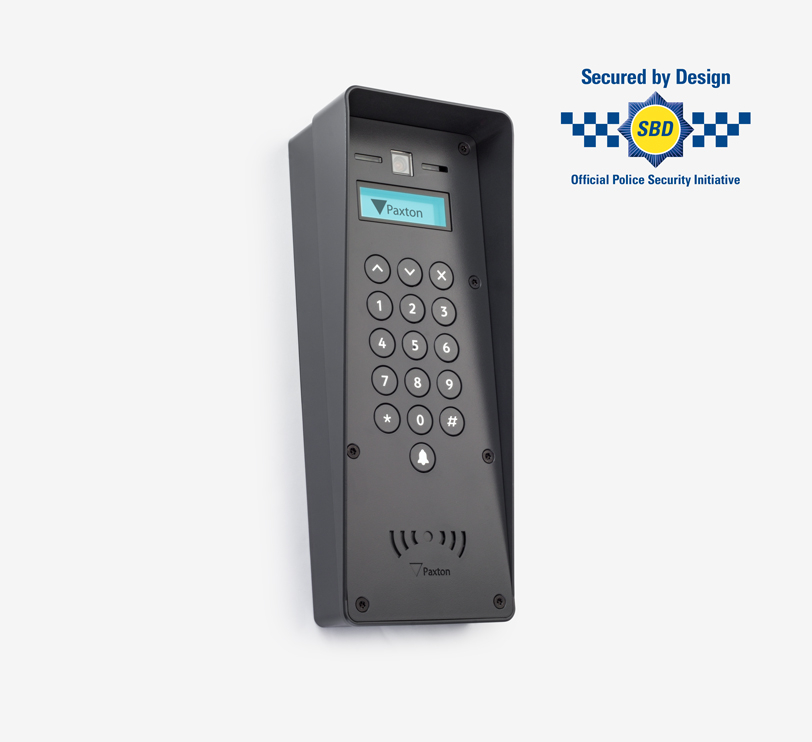
Product info - Entry is a door intercom for use as a standalone device or in conjunction with Paxton's Net2 and Paxton10 access control solutions. The Entry Touch is a premium outdoor door station for use with the Entry door intercom system from Paxton. Featuring a high quality 7" colour touch screen with personalisation options, the Entry Touch also has induction loop connectivity to meet the needs of hard of hearing users and offers advanced sound processing for high traffic areas, making it suitable for more locations than ever before.When used with the Entry Premium Monitor, the Touch Door Station supports two-way video calling and offers the ability to leave video voicemails.All Entry door stations are IPX5 certified, making them suitable for outdoor use in all weather conditions.Installation - Entry components can be easily connected using Cat5 or standard RJ45 patch cables. Entry can also utilise an existing network infrastructure for easy installation. Since power and data are supplied via PoE over the same cable, a separate power supply is not required.In this door station model with weather protection, the device is mounted directly on the wall surface, with an additional 41 mm casing to protect the screen and keypad from rain. If there are several entrances with a door station, more than one door station can be assigned to an access control unit (ACU).A secondary IP camera can also be installed and integrated into the entry system to provide additional security for areas with poor visibility. This offers more flexibility, as it is possible to switch back and forth between the two cameras on the Entry Monitor.Operation - A visitor starts a video call via the bell button on the external door station. Access can be authorised for the visitor via the Entry Monitor. The monitor in the indoor area can be used either via the receiver (for private calls) or in hands-free mode.When connected to Net2, access to the building is authorised by entering a PIN or code and/or using a proximity transponder. When connected to Paxton10, access to the building is authorised via Bluetooth® smart credentials, PIN or code entry and/or with a proximity transponder.
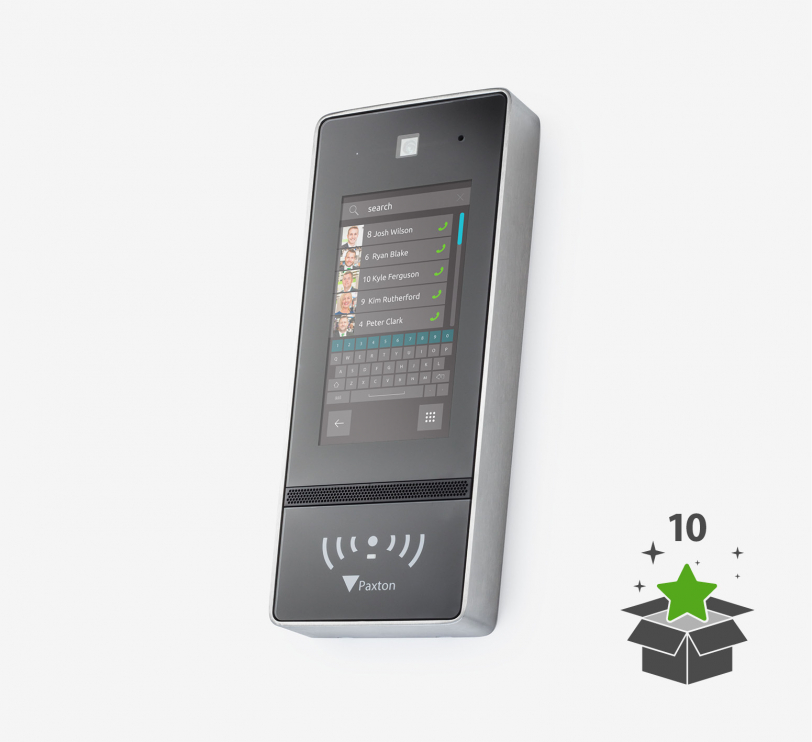
Product info - Entry is a door intercom for use as a standalone device or in conjunction with Paxton's Net2 and Paxton10 access control solutions. The Entry Touch is a premium outdoor door station for use with Paxton's Entry door intercom system. Featuring a high quality 7" colour touch screen with personalisation options, the Entry Touch also has induction loop connectivity to meet the needs of hard of hearing users and offers advanced sound processing for high traffic areas, making it suitable for more locations than ever before.When used with the Entry Premium Monitor, the Touch Door Station supports two-way video calling and offers the ability to leave video voicemails.All Entry door stations are IPX5 certified, making them suitable for outdoor use in all weather conditions.Installation - Entry components can be easily connected using Cat5 or standard RJ45 patch cables. Entry can also utilise an existing network infrastructure for easy installation. Since power and data are supplied via PoE over the same cable, a separate power supply is not required.In this door station model with weather protection, the device is mounted directly on the wall surface, with an additional 41 mm casing to protect the screen and keypad from rain. If there are several entrances with a door station, more than one door station can be assigned to an access control unit (ACU).A secondary IP camera can also be installed and integrated into the entry system to provide additional security for areas with poor visibility. This offers more flexibility, as it is possible to switch back and forth between the two cameras on the Entry Monitor.Operation - A visitor starts a video call via the bell button on the external door station. Access can be authorised for the visitor via the Entry Monitor. The monitor in the indoor area can be used either via the receiver (for private calls) or in hands-free mode.When connected to Net2, access to the building is authorised by entering a PIN or code and/or using a proximity transponder. When connected to Paxton10, access to the building is authorised via Bluetooth® smart credentials, PIN or code entry and/or with a proximity transponder.
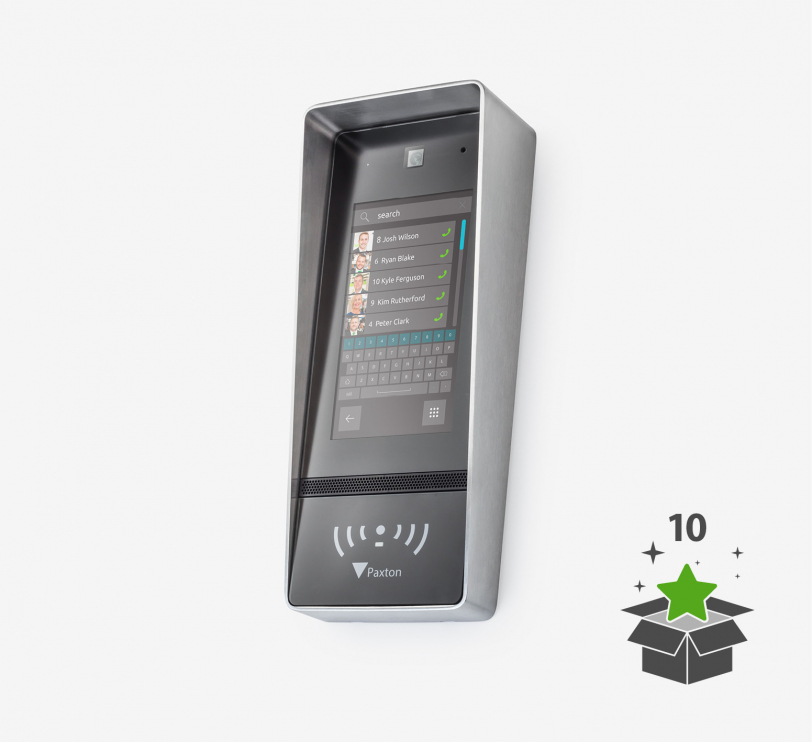
Product info - Entry is a door intercom for use as a standalone device or in conjunction with Paxton's Net2 and Paxton10 access control solutions. The Entry Touch is a premium outdoor door station for use with Paxton's Entry door intercom system. Featuring a high quality 7" colour touch screen with personalisation options, the Entry Touch also has induction loop connectivity to meet the needs of hard of hearing users and offers advanced sound processing for high traffic areas, making it suitable for more locations than ever before.When used with the Entry Premium Monitor, the Touch Door Station supports two-way video calling and offers the ability to leave video voicemails.All Entry door stations are IPX5 certified, making them suitable for outdoor use in all weather conditions.Installation - Entry components can be easily connected using Cat5 or standard RJ45 patch cables. Entry can also utilise an existing network infrastructure for easy installation. Since power and data are supplied via PoE over the same cable, a separate power supply is not required.In this door station model with weather protection, the device is mounted directly on the wall surface, with an additional 41 mm casing to protect the screen and keypad from rain. If there are several entrances with a door station, more than one door station can be assigned to an access control unit (ACU).A secondary IP camera can also be installed and integrated into the entry system to provide additional security for areas with poor visibility. This offers more flexibility, as it is possible to switch back and forth between the two cameras on the Entry Monitor.Operation - A visitor starts a video call via the bell button on the external door station. Access can be authorised for the visitor via the Entry Monitor. The monitor in the indoor area can be used either via the receiver (for private calls) or in hands-free mode.When connected to Net2, access to the building is authorised by entering a PIN or code and/or using a proximity transponder. When connected to Paxton10, access to the building is authorised via Bluetooth® smart credentials, PIN or code entry and/or with a proximity transponder.
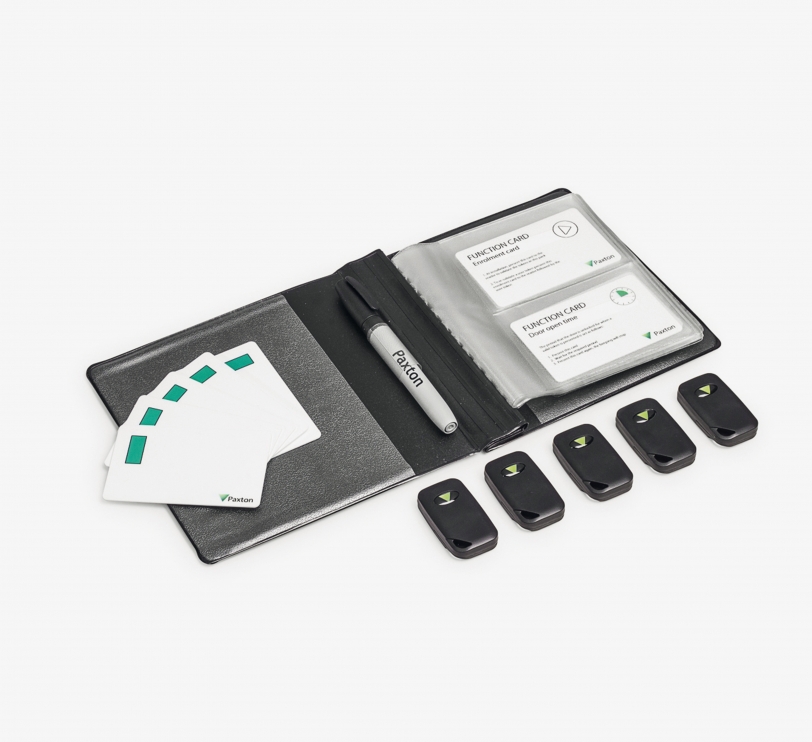
Info - The term "hands-free access control" means that the transponder can be read from a pocket or handbag to identify the person. It is not necessary to hold the transponder in your hand. This system is particularly suitable for doors used by disabled or elderly people. The hands-free transponders, together with the hands-free interface, achieve this through the use of unique radio technology. The keycards work like hands-free transponders, but have an additional function. When a button on the card is pressed, its reading range is briefly extended to typically 5 metres (maximum 50 metres). Installation - The hands-free transponders work with all PROXIMITY readers in the same way as conventional transponders. When P-series readers and KP-series readers with keypads are equipped with a hands-free interface, they achieve the long "hands-free" ranges. During system installation, the first transponder set is added by applying the group start card from the set. Subsequent sets are added by applying the original group start card followed by the group start card from the new set. The Handfree keycard is also suitable for longer ranges. A reading range of typically 5 metres (maximum 50 metres) can be achieved by pressing a button. Operation - The transponders are supplied in card folders. Each transponder, whether handsfree key fob or handsfree keycard, is packaged together with the corresponding delete card. Once the system has been commissioned, all user cards are valid and can be issued. When issuing the transponder, take the transponder out of the card folder and write the name of the person on the corresponding delete card. The person can now use the transponder to gain access. This process is repeated for all persons. If a transponder is to be blocked, take the corresponding delete card from the card folder and present it to the relevant readers in the building. The transponder is then invalid. The handsfree key fobs and keycards work in active and passive mode. They have a range of between 0.85 and 2.5 metres for all readers equipped with a hands-free interface and up to 5.0 metres for the long-range reader. In passive mode they work with all other Paxton Access proximity readers.
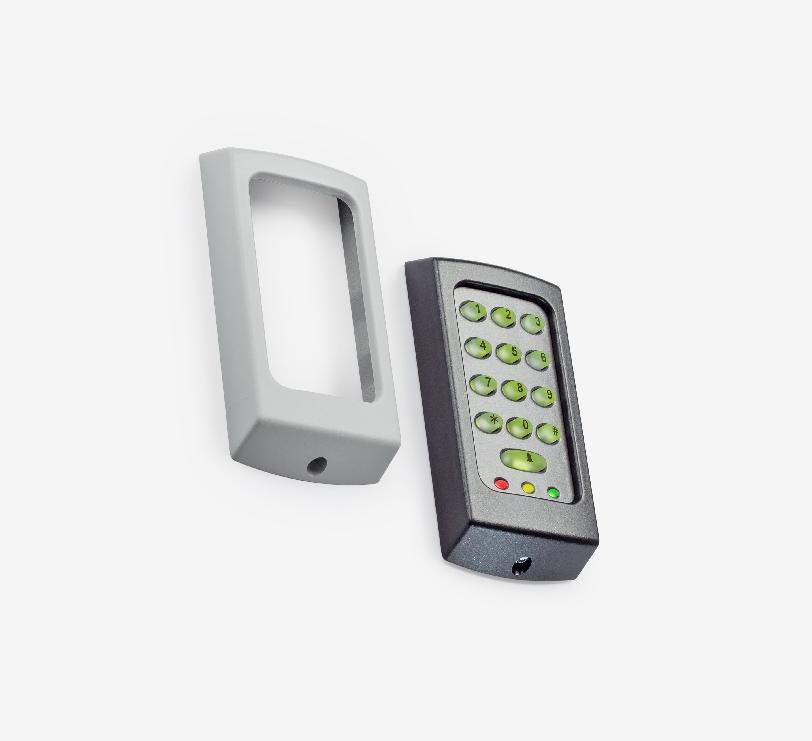
Info - Keyboards in the K series are suitable for Switch2 and Net2 systems. The keypads are supplied with a dark and light-coloured frame. Frames in other colours and for replacement are available free of charge for registered installers.Installation - The connection cable of the keypad is connected to the door control unit according to the colour marking. Installation is simple and can be carried out accurately.Operation - A code is entered. The door control centre checks the validity and grants or denies access.
Paxton Access: Flexibility and technology for your projects
With Paxton Access, you get solutions that support both server-based systems and flexible, cloud-based applications. This technology allows you to customise access control systems to meet your customers' needs. The ease of use and high scalability of Paxton Access products simplify installation and configuration in a wide range of environments.
Extensive product range - LACCESS as a licensed authorised dealer
Our range includes everything from Paxton Access that you need for customised access solutions: From robust door handles, precise control units, cards and transponders, to cylinder solutions from SimonsVoss with our in-house developed software solution for optimum compatibility. These components can be efficiently integrated into your customers' systems and offer a wide range of possible applications - whether for small commercial units or complex company infrastructures, as new installations or in existing systems.
Your partner for Paxton Access - more than just distribution
At LACCESS, we understand that the success of a project depends not only on product quality, but also on the right support. That's why we provide our specialist partners with comprehensive support before and after the sale. In addition to professional planning and sound advice, we also offer practical training and reliable support. We also develop our own hardware and software solutions to optimise system compatibility and make your work as efficient as possible. Find out more about us or contact our team directly to clarify your questions. Rely on LACCESS as your partner for Paxton Access and professional access control systems!