
Entry - Standard monitor

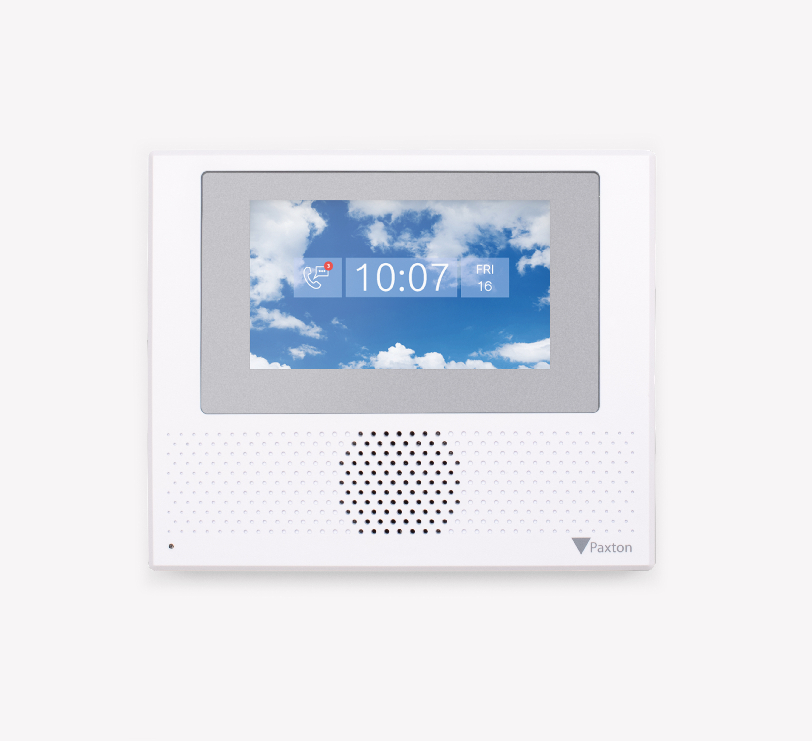
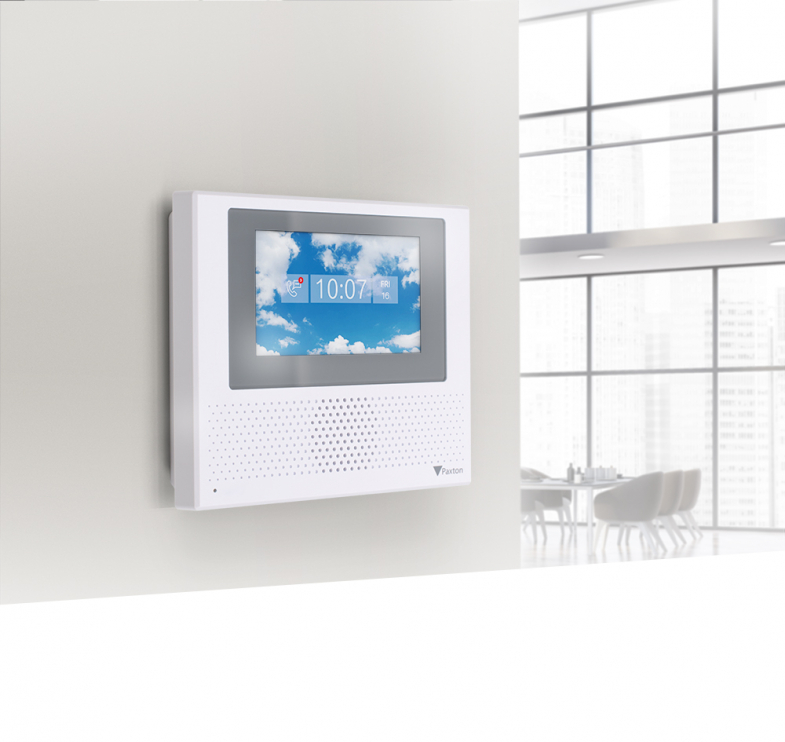
- Next-generation standard monitor
- Clear user interface on a 4.3-inch capacitive touchscreen
- IP and PoE technology for easy expansion
- Can be connected to Paxton10, Net2 or operated as a standalone device
- Suitable for wall mounting or for mounting in a desk stand (sold separately)
Product information "Entry - Standard monitor"
Product info - Entry is a door intercom system for use as a standalone device or in conjunction with Paxton's Net2 and Paxton10 access control solutions. It consists of three components that are automatically recognised during set-up - external door station, indoor monitor and door control unit.
The new Entry Standard monitor has a 4.3″ capacitive touchscreen and the same user interface as the Entry Premium monitor. With its straightforward, slim design, the monitor blends discreetly into any environment. The monitor is suitable for wall mounting or for mounting in a table stand (available separately) and is available with or without handset.
Installation - The components are simply connected to each other using Cat5 or standard RJ45 patch cables. An existing network infrastructure can also be used for easy installation of Entry. An existing network infrastructure can also be used for easy installation of Entry. With PoE technology, power and data are supplied via the same cable, so no separate power supply is required.
The Entry monitor - desk stand allows the Entry monitor to be conveniently positioned on a desk or table.
Operation - A visitor starts a video call via the bell button on the external door station. Access can then be authorised for the visitor via the monitor with its intuitive touchscreen user interface. The monitor can be used in the interior either with a handset (for private calls) or in hands-free mode.
When connected to Net2, access to the building is authorised by entering a PIN or code and/or using a proximity transponder. When connected to Paxton10, access to the building is authorised via Bluetooth® smart credentials, PIN or code entry and/or with a proximity transponder.
-
Download "Installation tips"
(1.70 MB)
Configuration of an Entry Standard monitor
Manufacturer information
Paxton Deutschland GmbH
Paxton Deutschland GmbH
Westhoffstr. 128
D–48159 Münster
Germany
verkauf@paxton-gmbh.de
| Compatibility: | Paxton 10 , Paxton Net2 |
|---|
Login
Similar products

Indoor-Station Schwarz DS-KH7300EY-WTE2 Die Hikvision DS-KH7300EY-WTE2 ist eine elegante Innenstation für das 2-Draht-Video-Gegensprechsystem von Hikvision. Sie wurde speziell für die einfache Nachrüstung bestehender Gegensprechanlagen entwickelt und bietet eine moderne, komfortable und sichere Kommunikationslösung für Wohnungen, Mehrfamilienhäuser und Gewerbeobjekte. Mit ihrem 7-Zoll-Touchdisplay und der intuitiven Benutzeroberfläche ermöglicht sie eine einfache Bedienung und klare Bildübertragung in Echtzeit. Dank der WLAN-Unterstützung kann die Innenstation nahtlos mit der Hik-Connect App verbunden werden, sodass Sie Besucher auch unterwegs sehen und mit ihnen sprechen können. Einfache Nachrüstung Die DS-KH7300EY-WTE2 nutzt die bestehende 2-Draht-Infrastruktur, wodurch aufwendige Neuverkabelungen entfallen. Dies spart Zeit, Aufwand und Installationskosten – ideal für Sanierungen und Modernisierungen. Hauptmerkmale: 7-Zoll-Touchscreen mit klarer, intuitiver Benutzeroberfläche 2-Draht-Technologie – einfache Nachrüstung ohne Neuverkabelung Hochwertige Audioqualität durch Echo- und Rauschunterdrückung WLAN-fähig für mobile Steuerung über die Hik-Connect App Aufputzmontage für flexible Installation Unterstützung für SD-Karten bis 128 GB zur lokalen Speicherung Elegantes schwarzes Design, passend zu modernen Wohnumgebungen

Innenstation DS-KH6320-WTE1-W(O-STD) (Europe BV) Die Hikvision DS-KH6320-WTE1-W(O-STD) ist eine intelligente IP-Video-Innenstation, die modernste Kommunikation und Sicherheit in einem eleganten Design vereint. Sie eignet sich ideal für den Einsatz in Wohnungen, Mehrfamilienhäusern oder Büroumgebungen und ermöglicht eine klare Audio- und Videoübertragung über IP-Netzwerke. Durch die Integration in CCTV- und Zutrittskontrollsysteme sowie die Unterstützung der Hik-Connect App bietet diese Innenstation ein Höchstmaß an Komfort und Sicherheit – Benutzer können Besucher sehen, sprechen und Türen bequem über Smartphone oder Tablet öffnen. Hauptmerkmale: 7-Zoll-Touchscreen mit intuitiver Bedienoberfläche Echounterdrückung und Rauschunterdrückung für klare Zwei-Wege-Kommunikation Nahtlose Integration in IP-basierte Intercom- und CCTV-Systeme von Hikvision Unterstützung mobiler Apps für Fernzugriff, Live-Ansicht und Türsteuerung Aufputzmontage – ideal für den Innenbereich WiFi-Unterstützung für flexible Netzwerkanbindung Lokale Speicherung über MicroSD-Karte bis zu 128 GB
Innenstation DS-KH6350-WTE1-W Die Hikvision DS-KH6350-WTE1-W(O-STD) ist eine intelligente IP-Video-Innenstation, die modernste Kommunikation und Sicherheit in einem eleganten Design vereint. Sie eignet sich ideal für den Einsatz in Wohnungen, Mehrfamilienhäusern oder Büroumgebungen und ermöglicht eine klare Audio- und Videoübertragung über IP-Netzwerke. Durch die Integration in CCTV- und Zutrittskontrollsysteme sowie die Unterstützung der Hik-Connect App bietet diese Innenstation ein Höchstmaß an Komfort und Sicherheit – Benutzer können Besucher sehen, sprechen und Türen bequem über Smartphone oder Tablet öffnen. Hauptmerkmale: 7-Zoll-Touchscreen mit intuitiver Bedienoberfläche Echounterdrückung und Rauschunterdrückung für klare Zwei-Wege-Kommunikation Nahtlose Integration in IP-basierte Intercom- und CCTV-Systeme von Hikvision Unterstützung mobiler Apps für Fernzugriff, Live-Ansicht und Türsteuerung Aufputzmontage – ideal für den Innenbereich WiFi-Unterstützung für flexible Netzwerkanbindung Lokale Speicherung über MicroSD-Karte bis zu 128 GB

Innenstation DS-KH9570-WTE1(O-STD)/S Die Hikvision DS-KH9570-WTE1(O-STD)/S ist eine intelligente IP-Video-Innenstation, die modernste Kommunikation und Sicherheit in einem eleganten Design vereint. Sie eignet sich ideal für den Einsatz in Wohnungen, Mehrfamilienhäusern oder Büroumgebungen und ermöglicht eine klare Audio- und Videoübertragung über IP-Netzwerke. Durch die Integration in CCTV- und Zutrittskontrollsysteme sowie die Unterstützung der Hik-Connect App bietet diese Innenstation ein Höchstmaß an Komfort und Sicherheit – Benutzer können Besucher sehen, sprechen und Türen bequem über Smartphone oder Tablet öffnen. Hauptmerkmale: 10-Zoll-Touchscreen mit intuitiver Bedienoberfläche Echounterdrückung und Rauschunterdrückung für klare Zwei-Wege-Kommunikation Nahtlose Integration in IP-basierte Intercom- und CCTV-Systeme von Hikvision Unterstützung mobiler Apps für Fernzugriff, Live-Ansicht und Türsteuerung Aufputzmontage – ideal für den Innenbereich WiFi-Unterstützung für flexible Netzwerkanbindung Lokale Speicherung über MicroSD-Karte bis zu 128 GB
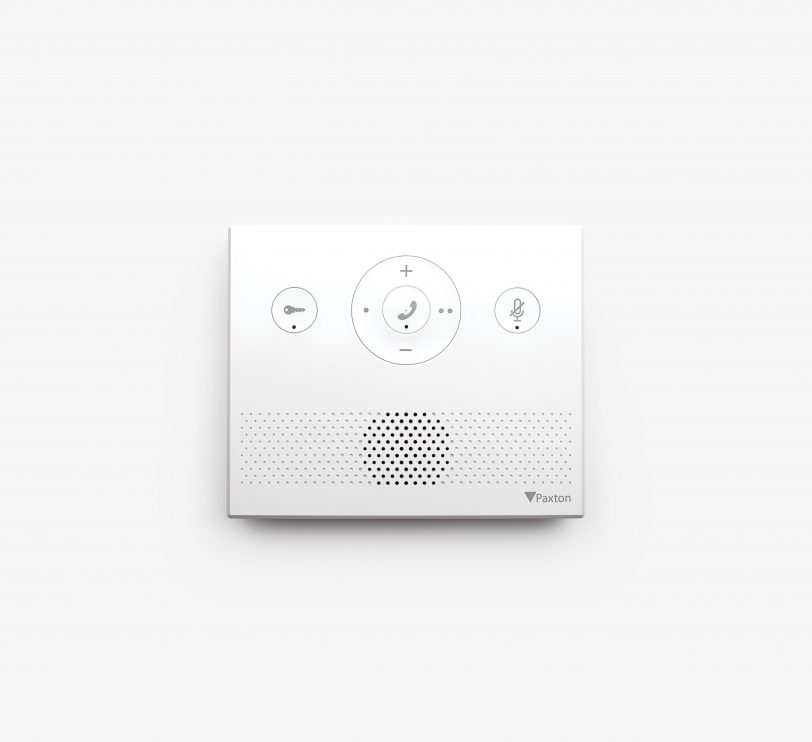
Product info - Entry is a door intercom system for operation as a standalone device or in conjunction with Paxton's Net2 and Paxton10 access control solutions. It consists of three components that are automatically recognised during set-up - external door station, indoor monitor and door control unit.The Entry Audio Monitor is a cost-effective option in this range and supports all entry functions without exception where video is not required. The monitor can be wall-mounted or used as a desktop unit and can be used with handset (for private calls) or in hands-free mode.Installation - Entry components can be easily connected using Cat5 or standard RJ45 patch cables. Entry can also utilise an existing network infrastructure for easy installation. As power and data are supplied via PoE over the same cable, a separate power supply is not required.The Entry monitor - desk stand allows the Entry monitor to be conveniently positioned on a desk or table.Operation - A visitor starts a call via the bell button on the external door station. Access can then be authorised for the visitor via the audio monitor.When connected to Net2, access to the building is authorised by entering a PIN or code and/or using a proximity transponder. When connected to Paxton10, access to the building is authorised via Bluetooth® smart credentials, PIN or code entry and/or with a proximity transponder.
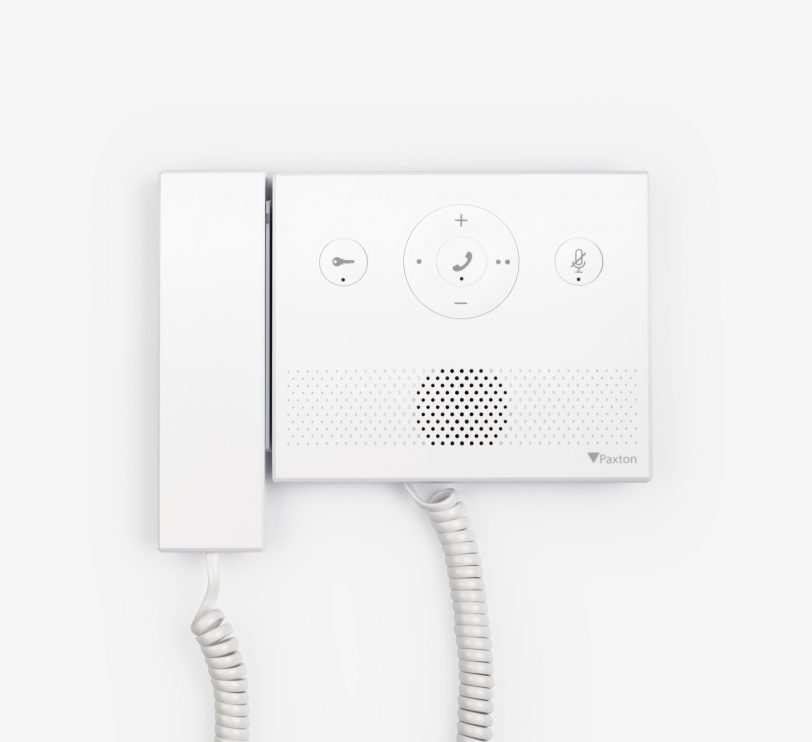
Product info - Entry is a door intercom system for use as a standalone device or in conjunction with Paxton's Net2 and Paxton10 access control solutions. It consists of three components that are automatically recognised during set-up - external door station, indoor monitor and door control unit.The Entry Audio Monitor is a cost-effective option in this range and supports all entry functions without exception where video is not required. The monitor can be wall-mounted or used as a desktop unit, and can be used with handset (for private calls) or in hands-free mode.Installation - Entry components can be easily connected using Cat5 or standard RJ45 patch cables. Entry can also utilise existing network infrastructure for easy installation. Since power and data are supplied via PoE over the same cable, a separate power supply is not required.The Entry monitor - desk stand allows the Entry monitor to be conveniently positioned on a desk or table.Operation - A visitor starts a call via the bell button on the external door station. Access can then be authorised for the visitor via the audio monitor.When connected to Net2, access to the building is authorised by entering a PIN or code and/or using a proximity transponder. When connected to Paxton10, access to the building is authorised via Bluetooth® smart credentials, PIN or code entry and/or with a proximity transponder.
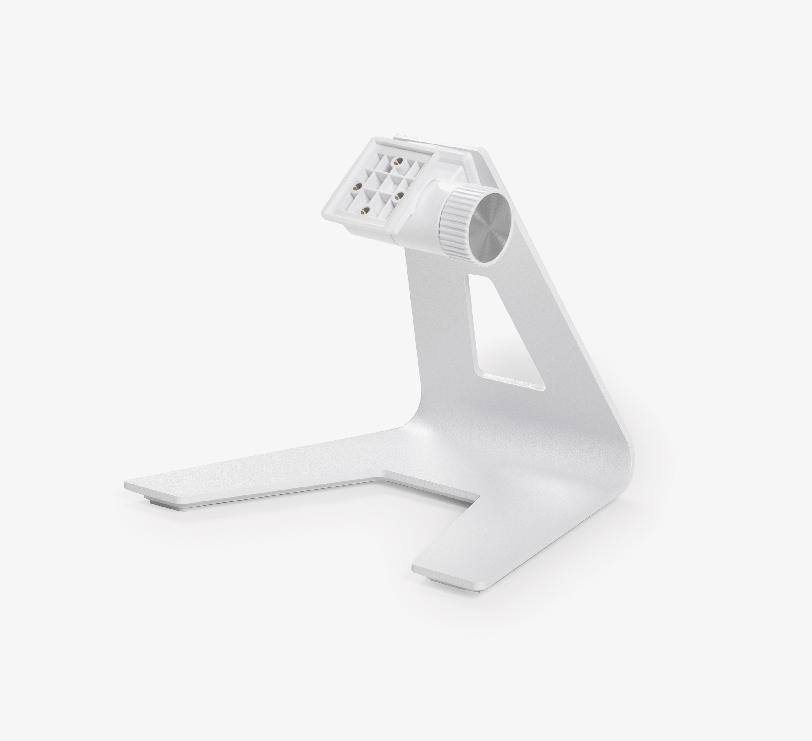
Product information - The desk stand allows the Entry monitor to be conveniently positioned on a desk or table.Assembly - The monitor can be easily attached to the stand using the fastening elements supplied with the product. The adjustable stand can be set at any angle.
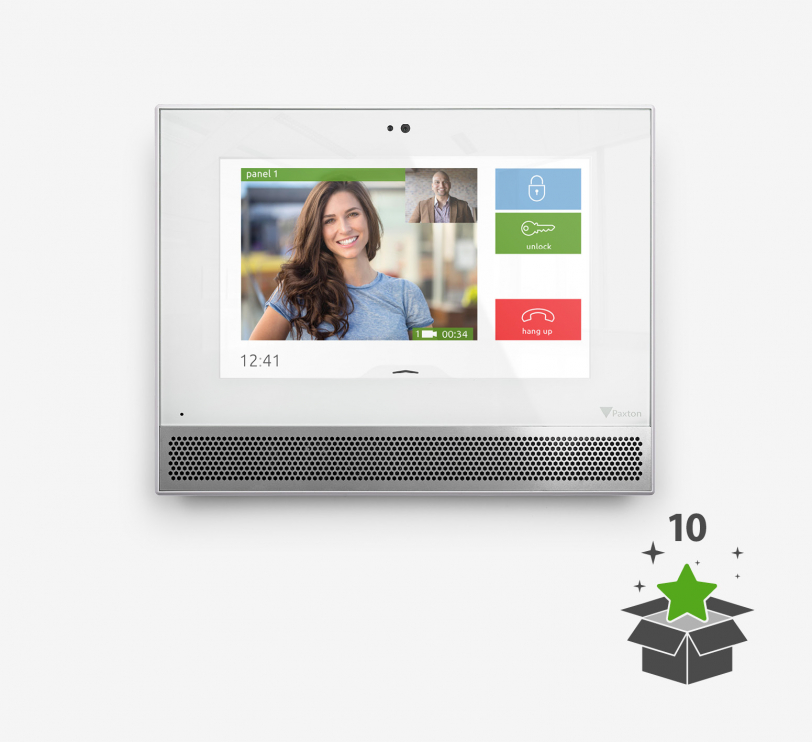
Product info - Entry is a door intercom system for operation as a standalone device or in conjunction with Paxton's Net2 and Paxton10 access control solutions. It consists of three components that are automatically recognised during set-up - external door station, indoor monitor and door control unit.The premium monitor features a 7" capacitive colour touchscreen, free concierge management functions and various design options. The monitor can be wall-mounted or used as a desktop unit.When used with the Entry Touch door station, the Premium Monitor supports two-way video calls and video voicemails.Installation - Entry components can be easily connected using Cat5 or standard RJ45 patch cables. Entry can also utilise an existing network infrastructure for easy installation. Since power and data are supplied via PoE over the same cable, a separate power supply is not required.The Entry monitor - desk stand allows the Entry monitor to be conveniently positioned on a desk or table.Operation - A visitor starts a video call via the bell button on the external door station. Access can then be granted to the visitor via the Entry Monitor with its intuitive touchscreen user interface. The monitor can be used indoors with the handset (for private calls) or in hands-free mode.When connected to Net2, access to the building is authorised by entering a PIN or code and/or using a proximity transponder. When connected to Paxton10, access to the building is authorised via Bluetooth® smart credentials, PIN or code entry and/or with a proximity transponder.
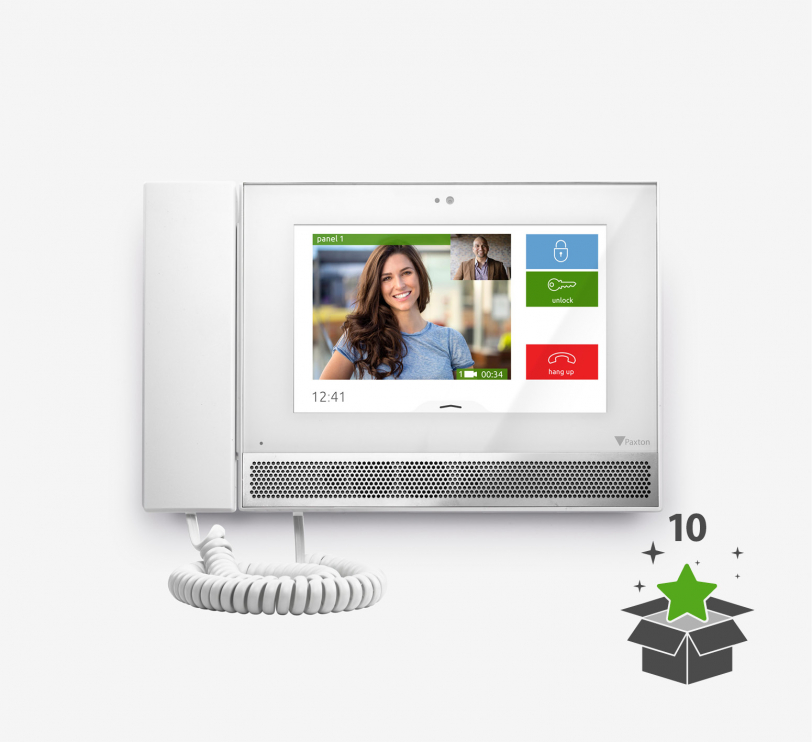
Product info - Entry is a door intercom system for use as a standalone device or in conjunction with Paxton's Net2 and Paxton10 access control solutions. It consists of three components that are automatically recognised during set-up - external door station, indoor monitor and door control unit.The premium monitor features a 7" capacitive colour touchscreen, free concierge management functions and various design options. The monitor can be wall-mounted or used as a desktop unit.When used with the Entry Touch door station, the Premium Monitor supports two-way video calls and video voicemails.Installation - Entry components can be easily connected using Cat5 or standard RJ45 patch cables. Entry can also utilise an existing network infrastructure for easy installation. Since power and data are supplied via PoE over the same cable, a separate power supply is not required.The Entry monitor - desk stand allows the Entry monitor to be conveniently positioned on a desk or table.Operation - A visitor starts a video call via the bell button on the external door station. Access can then be granted to the visitor via the Entry Monitor with its intuitive touchscreen user interface. The monitor can be used indoors with the handset (for private calls) or in hands-free mode.When connected to Net2, access to the building is authorised by entering a PIN or code and/or using a proximity transponder. When connected to Paxton10, access to the building is authorised via Bluetooth® smart credentials, PIN or code entry and/or with a proximity transponder.
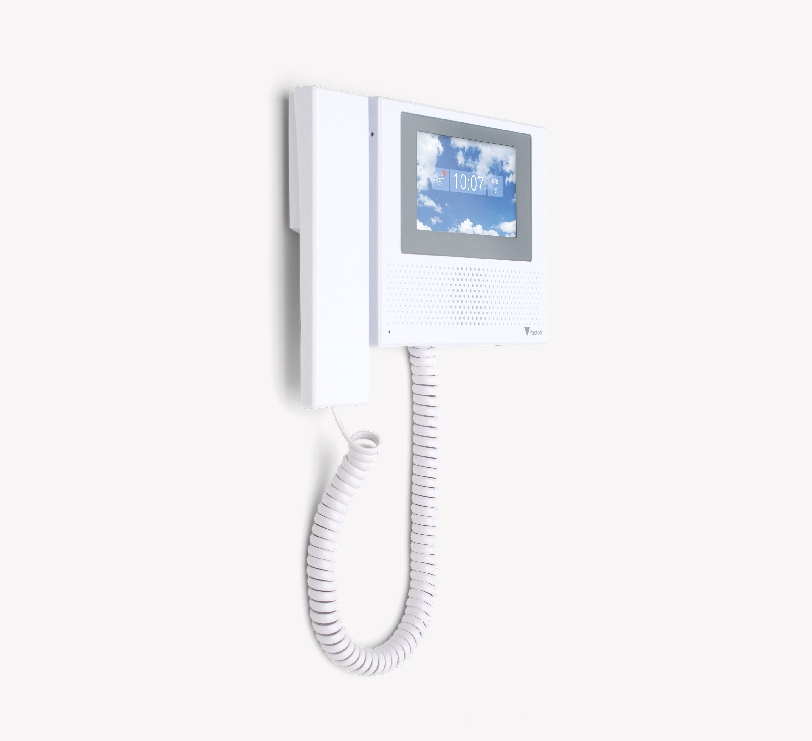
Product info - Entry is a door intercom system for use as a standalone device or in conjunction with Paxton's Net2 and Paxton10 access control solutions. It consists of three components that are automatically recognised during set-up - external door station, indoor monitor and door control unit.The new Entry Standard monitor has a 4.3″ capacitive touchscreen and the same user interface as the Entry Premium monitor. With its straightforward, slim design, the monitor blends discreetly into any environment. The monitor is suitable for wall mounting or for mounting in a table stand (available separately) and is available with or without handset.Installation - The components are simply connected to each other using Cat5 or standard RJ45 patch cables. An existing network infrastructure can also be used for easy installation of Entry. An existing network infrastructure can also be used for easy installation of Entry. With PoE technology, power and data are supplied via the same cable, so no separate power supply is required.The Entry monitor - desk stand allows the Entry monitor to be conveniently positioned on a desk or table.Operation - A visitor starts a video call via the bell button on the external door station. Access can then be authorised for the visitor via the monitor with its intuitive touchscreen user interface. The monitor can be used in the interior either with a handset (for private calls) or in hands-free mode.When connected to Net2, access to the building is authorised by entering a PIN or code and/or using a proximity transponder. When connected to Paxton10, access to the building is authorised via Bluetooth® smart credentials, PIN or code entry and/or with a proximity transponder.

DS-KD8003Y-IME2 – 2-Draht Hauptstation der modularen Türstation Die DS-KD8003Y-IME2 ist die Hauptstation der KD8-Serie modularer 2-Draht-Türstationen und bietet eine hohe Bildauflösung dank der integrierten 2-Megapixel-Fisheye-Kamera mit IR-Beleuchtung. Sie unterstützt eine sichere und zuverlässige Kommunikation sowie Zutrittskontrolle in unterschiedlichen Umgebungen wie Wohngebäuden, Büros oder Baustellen. Durch den modularen Aufbau können je nach Bedarf verschiedene Sub-Module hinzugefügt werden, wie Display-, Signatur-, Tasten- oder Kartenlesemodule, um die Funktionen der Türstation flexibel zu erweitern. Die Montage ist dank verschiedener Halterungen von Hikvision – für Aufputz- oder Unterputzmontage – einfach und optisch ansprechend. Die Hauptstation kann direkt bis zu zwei Türschlösser steuern und liefert eine 12 V / 500 mA Stromversorgung für ein elektronisches Schloss ohne zusätzliche Stromquelle. Ein physischer Anruftaster erleichtert die Kommunikation, während die Konfiguration bequem über das Web-Interface vorgenommen werden kann. Technische Merkmale: 2-Draht-Hauptstation der modularen Türstation KD8-Serie 2-Megapixel-Fisheye-Kamera mit IR-Unterstützung Physischer Anruftaster für einfache Kommunikation Steuerung von zwei Türschlössern Schutzart IP65 Einfache Web-Konfiguration aus der Ferne 12 V / 500 mA Ausgang für ein elektronisches Schloss

DS-KD8003Y-IME2/S – 2-Draht Hauptstation der modularen Türstation Die DS-KD8003Y-IME2/S ist die Hauptstation der KD8-Serie modularer 2-Draht-Türstationen und besteht aus hochwertigem Edelstahl, der eine elegante Optik mit robuster Haptik kombiniert. Die integrierte 2-Megapixel-Fisheye-Kamera mit IR-Unterstützung liefert hochauflösende Bilder für eine sichere Videoüberwachung und Kommunikation. Dank des modularen Designs können je nach Bedarf verschiedene Sub-Module hinzugefügt werden, darunter Display-, Signatur-, Tasten- oder Kartenlesemodule, wodurch die Türstation flexibel an unterschiedliche Intercom- und Zutrittskontrollanforderungen angepasst werden kann. Verschiedene Halterungen von Hikvision ermöglichen die Montage auf Aufputz- oder Unterputzflächen. Die Hauptstation kann direkt bis zu zwei Türschlösser steuern und liefert eine 12 V / 500 mA Stromversorgung für ein elektronisches Schloss ohne zusätzliche Stromquelle. Ein physischer Anruftaster erleichtert die Bedienung, während die Konfiguration komfortabel über das Web-Interface erfolgt. Die Schutzart IP65 gewährleistet einen zuverlässigen Einsatz im Innen- und geschützten Außenbereich. Technische Merkmale: 2-Draht-Hauptstation der modularen Türstation KD8-Serie 2-Megapixel-Fisheye-Kamera mit IR-Unterstützung Physischer Anruftaster für einfache Kommunikation Steuerung von bis zu zwei Türschlössern Schutzart IP65 Einfache Fernkonfiguration über Webinterface 12 V / 500 mA Ausgang für ein elektronisches Schloss Gehäuse aus hochwertigem Edelstahl
Customers also bought
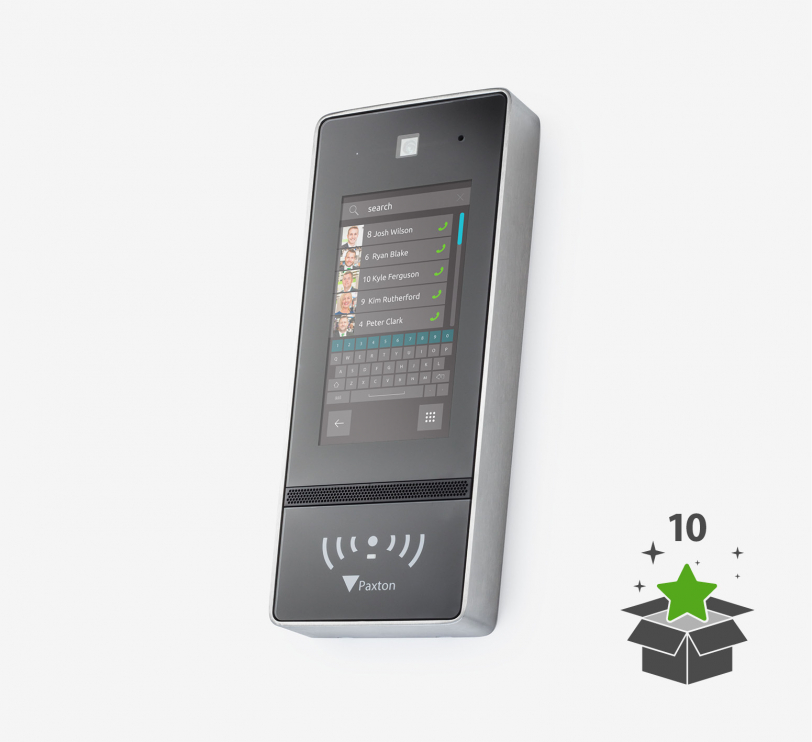
Product info - Entry is a door intercom for use as a standalone device or in conjunction with Paxton's Net2 and Paxton10 access control solutions. The Entry Touch is a premium outdoor door station for use with Paxton's Entry door intercom system. Featuring a high quality 7" colour touch screen with personalisation options, the Entry Touch also has induction loop connectivity to meet the needs of hard of hearing users and offers advanced sound processing for high traffic areas, making it suitable for more locations than ever before.When used with the Entry Premium Monitor, the Touch Door Station supports two-way video calling and offers the ability to leave video voicemails.All Entry door stations are IPX5 certified, making them suitable for outdoor use in all weather conditions.Installation - Entry components can be easily connected using Cat5 or standard RJ45 patch cables. Entry can also utilise an existing network infrastructure for easy installation. Since power and data are supplied via PoE over the same cable, a separate power supply is not required.In this door station model with weather protection, the device is mounted directly on the wall surface, with an additional 41 mm casing to protect the screen and keypad from rain. If there are several entrances with a door station, more than one door station can be assigned to an access control unit (ACU).A secondary IP camera can also be installed and integrated into the entry system to provide additional security for areas with poor visibility. This offers more flexibility, as it is possible to switch back and forth between the two cameras on the Entry Monitor.Operation - A visitor starts a video call via the bell button on the external door station. Access can be authorised for the visitor via the Entry Monitor. The monitor in the indoor area can be used either via the receiver (for private calls) or in hands-free mode.When connected to Net2, access to the building is authorised by entering a PIN or code and/or using a proximity transponder. When connected to Paxton10, access to the building is authorised via Bluetooth® smart credentials, PIN or code entry and/or with a proximity transponder.
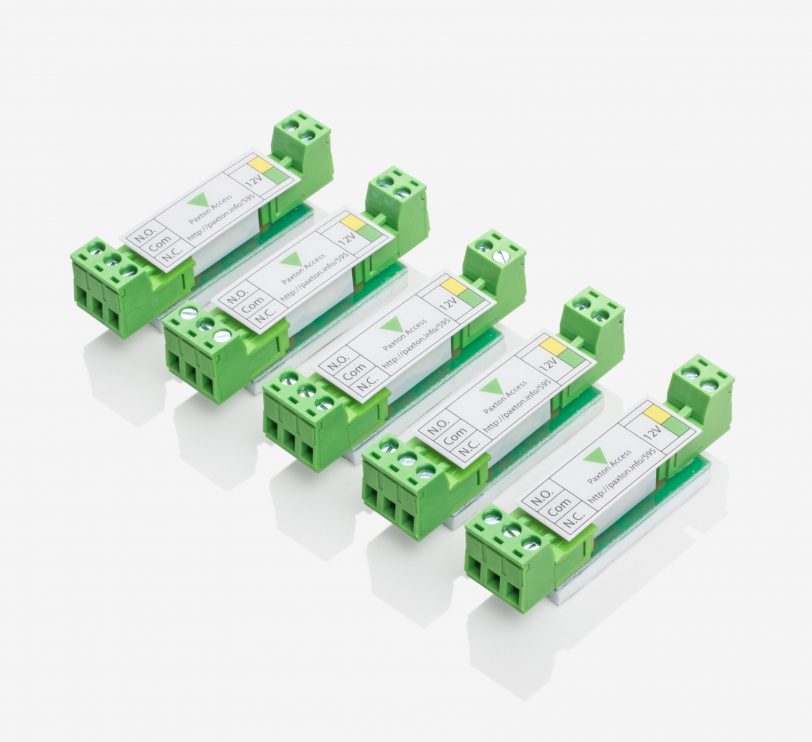
Info - Compact systems use a 12 V DC switching voltage as the output for a lock. This is not suitable for situations where voltage-free contacts are required to control external devices, such as shutters or 24 V locks. The control output module of the compact system is designed to be connected via this output (green/yellow wires) and to provide switched (NO/NC) de-energised contacts.Installation - The connections are colour coded to show the connections for the compact system. Simply carry out the wiring according to the label on the module.Operation - The control output can be used for switching a maximum of 40 volts DC / AC at 4 A.
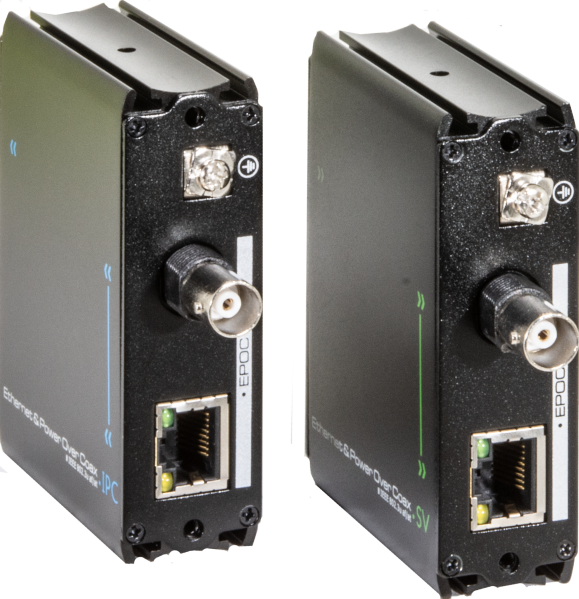
The extenders of the UP-EXT-SET series transmit 10/100Mbps Ethernet and PoE/PoE+ via coaxial cables or twisted-pair UTP cables up to a distance of 300m. The devices are supplied and used in pairs, the UP-EXT-CAM on the camera side, the UP-EXT-SERV on the server side. The extenders enable the PoE supply, e.g. of a midspan, to be passed on directly via coaxial or UTP cable . Power is supplied via PoE or via a power supply unit on the centre side. The devices do not require any software configuration. Diagnostic LEDs provide an overview of the operating status. The individual devices can be mounted on a panel using a pair of supplied retaining flanges or up to 16 devices can be mounted on 2U using the 19" subrack UP-R2, which must be ordered separately. Further information System notesConnecting several device pairs via the same UTP cable can lead to transmission problems due to crosstalk between the different signals in the cable. Ideally, each device connection should therefore be realised via separate cables. If several cables have to be strung together on a connection route, it is important to realise these transitions as technically well as possible. This means that, ideally, professionally assembled RJ45 plugs are used for the transitions. If this is not possible, e.g. when using telephone cables, care must be taken to minimise unwinding the stranding of the wire pairs. The contact between the cores of the cables to be connected must be as galvanically good as possible. Shielded UTP cables can cause problems due to potential equalisation currents . We recommend not earthing the shields in the control centre, especially when several cables are brought together in a control centre. Technical data General properties Supply voltage Power supply via PoE or Power supply with 48-56VDC on the centre side, barrel connector 2.5 / 5.5mm Power consumption approx. 2W without PoE MTBF Operating temperature UP-EXT-CAM: -40 to +55°C UP-EXT-SERV: 0 to +55°C Dimensions 82 x 25 x 63mm, LxWxH, Dimensions without connector Weight 0.14kg per device Interfaces Copper ports 1 x 10/100BaseT, RJ45, Poe and PoE+ The PoE power available on the camera side is heavily dependent on the cable length and the cable quality. By increasing the PoE voltage on the centre side up to the maximum permitted 56VDC the camera-side power can be increased. Extender ports The UP-EXT-SET devices allow the connection via data cable Cat5e or better, via coaxial cable or via twisted pair cables such as telephone cables. Accordingly, both interfaces are also available on the extenders. The supplied BNC to two-wire terminal adapter is used for transmission via telephone cable . Important: Only one of the interfaces can be used at a time. Transmission via coaxial cable: BNC socket (female) Transmission via telephone cable: BNC socket and supplied adapter Transmission via data cable: RJ45 socket Transmission cable Data cable Cat5e or better, via RJ45 socket Coaxial cable, via BNC socket Paired cable, e.g. telephone cable, via BNC socket and BNC to two-wire adapter Distance specification The maximum transmission distance when using the cable types mentioned above is approx. 300m The maximum Data rate is between 90MBit/s and 10MBit/s The possible data rate depends on the length of the line, the cable type, the wire cross-section and the cable quality. The following parameters have a positive effect on the possible data rate: Short cable length, high-quality cable type (coax > Cat7 > Cat6 > Cat5e > telephone cable), large wire cross-section. The PoE power available at the camera end available at the camera end PoE power decreases continuously as the length of the cable increases. The available PoE power also depends on the wire cross-section . Coaxial cables have small wire cross-sections. Data cables are available with different wire cross-sections. The AWG number describes the core cross-section. The smaller the AWG number, the larger the wire cross-section. The PoE input voltage has a major influence on the available PoE power. If possible, the voltage should be set as high as possible, maximum 57VDC. With coaxial cables, the maximum PoE power after 200m is less than 10W. For Cat7 cables with AWG24, the maximum PoE power after 200m is approx. 20W. Network properties PoE management Standards Compatible with several network protocols including IEEE802.3, 802.3u, 802.3x Supports jumbo frames Tag transparent Types/features Mounting bracket supplied BNC to 2-wire adapter supplied The adapter can be used to transmit IP and PoE with a twisted-pair two-wire cable. UP-R2 19" subrack for max. 16 flush-mounted EXT devices, 2U To be ordered separately
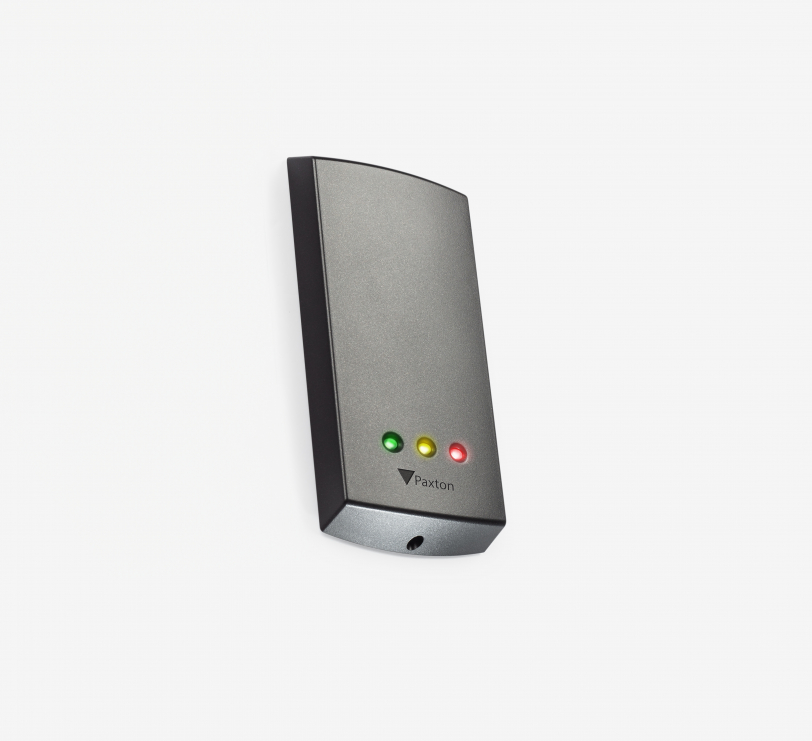
Info - P-series readers are suitable for Switch2 and Net2 systems. The readers are supplied with a light and dark-coloured cover cap. Cover caps in other colours are available. These as well as replacement caps are available free of charge for registered installers of Paxton systems. The P-series readers are available in four sizes.The majority of our Paxton readers are now equipped with Genuine HID Technology™. The readers can read HID™ 125 kHz proximity transponders when licensed with an activation card. If required, these readers can be activated for a Wiegand output via a separate activation card.Installation - The reader connection cable is connected to the door control unit according to the colour coding. Installation is simple and can be carried out accurately.Operation - A transponder is held in the area of the reading distance. The reader forwards the read information to the door control unit. If the transponder is recognised as authorised, the green LED flashes and access is granted. The red LED flashes and access is denied if the transponder is invalid.

Barox 19″ 2U carrier for max. 16 UP-EXT transmitters or receivers The Barox 19-inch rack (2U) was specially developed for mounting up to 16 flush-mounted transmitters or receivers. It offers a space-saving, clear and professional solution for installation in standardised 19″ racks and is ideal for demanding video, network and surveillance systems. Features: 19″ rack mounting, 2 height units (2U) Space for up to 16 UP-EXT transmitters or receivers Robust metal design for durable, professional use Clean and structured cabling possible Simple integration into existing rack systems